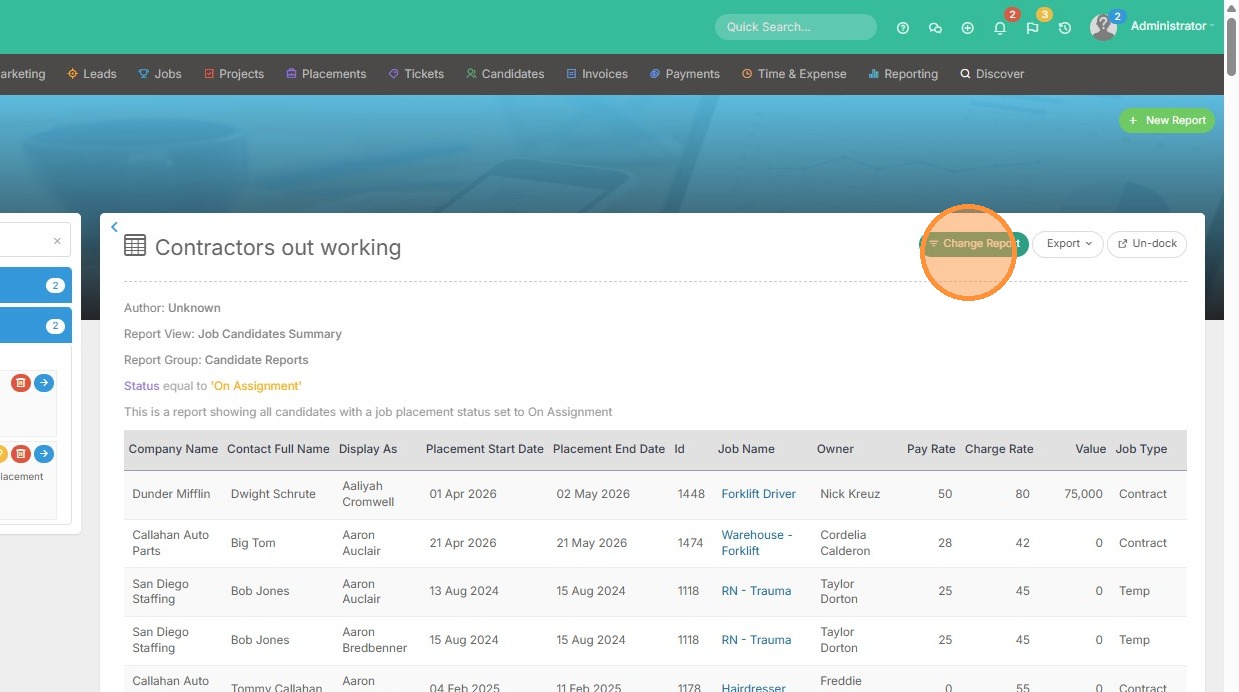
1. From within the reporting suite, click into the report you want to clone. Then select Change Report.
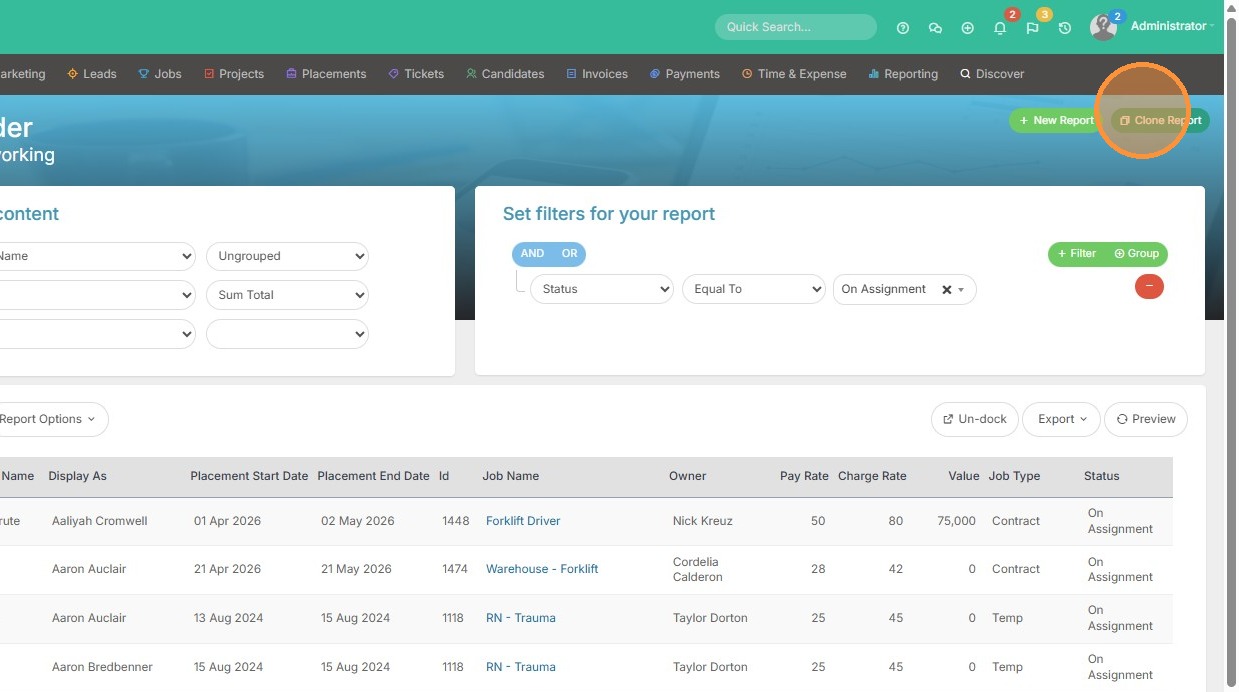
2. Click Clone Report
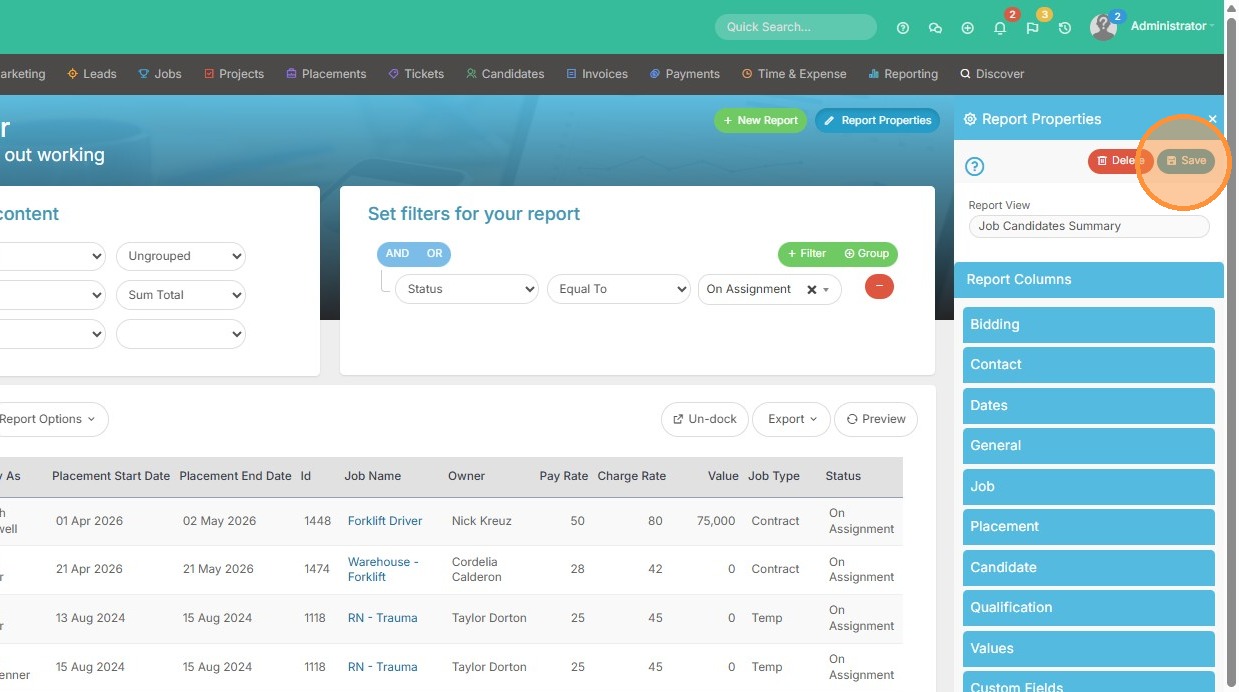
3. Make any changes as necessary (add columns/remove etc.). Then click save.
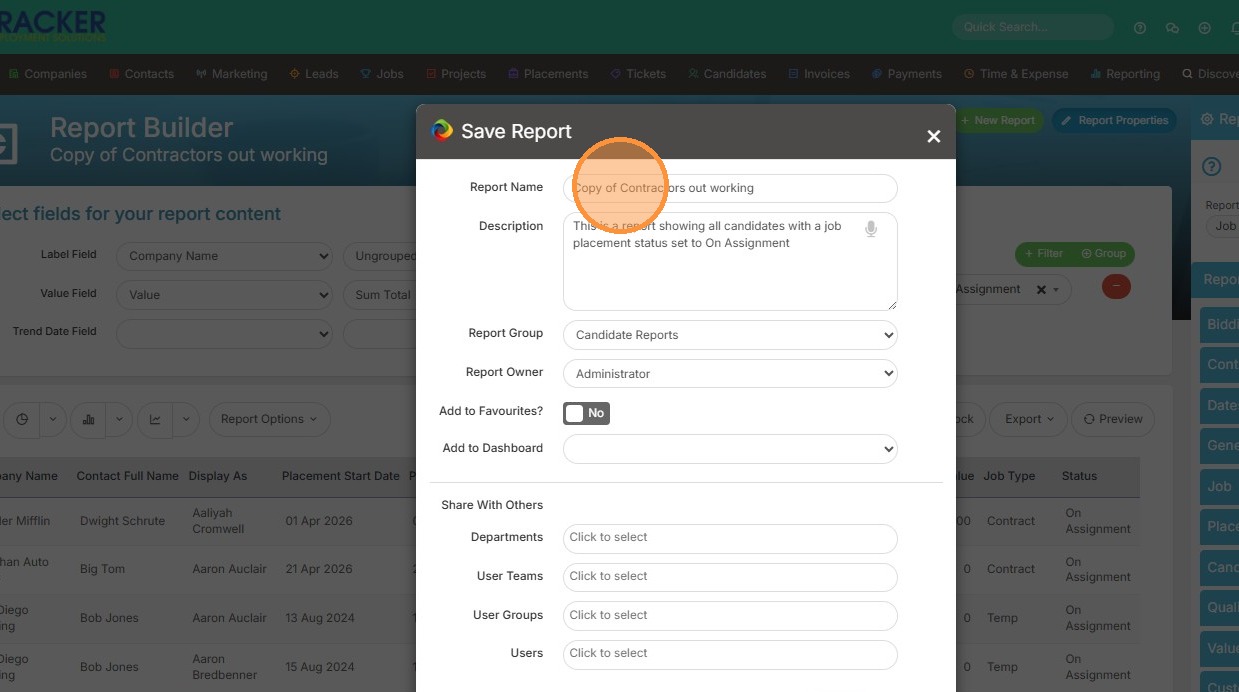
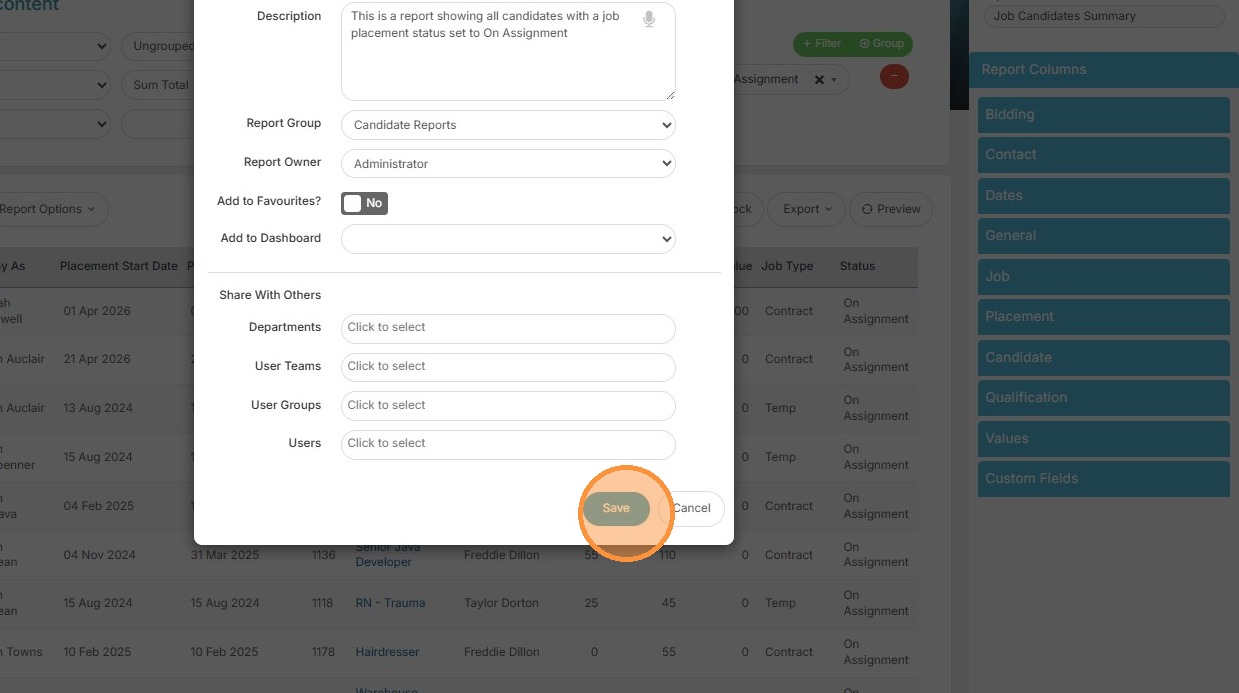
4. Enter Report Name and click Save
Your one-stop shop for help on TrackerRMS
1. From within the reporting suite, click into the report you want to clone. Then select Change Report.
2. Click Clone Report
3. Make any changes as necessary (add columns/remove etc.). Then click save.
4. Enter Report Name and click Save