Natural Language Search
Writing a job spec and finding the right candidates to fill it are two of the most time-consuming parts of any recruitment workflow, but in Tracker, see how Natural Language searching from a job specification instantly builds your Longlist search criteria.
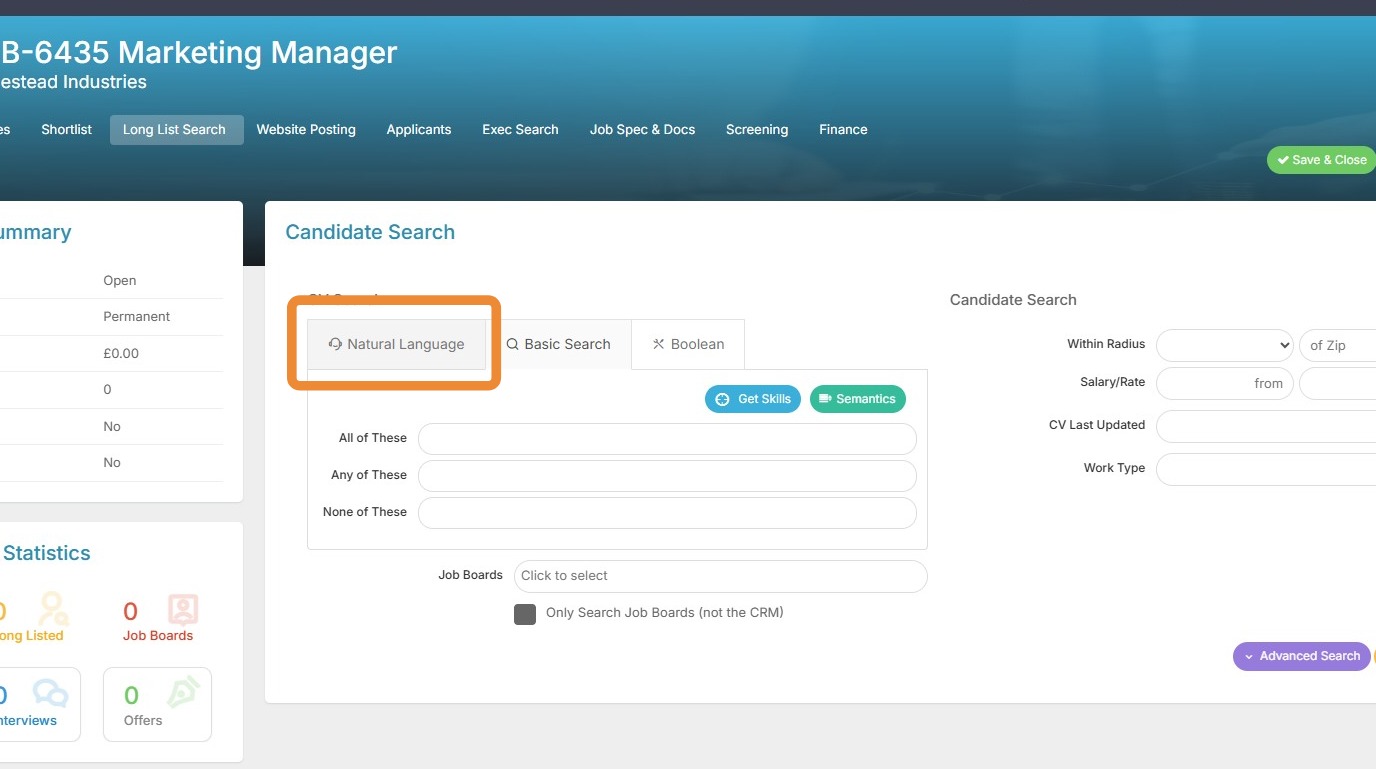
1. On the Job record I have come to the Long List Candidate Search area, where I have the Natural Language tab.
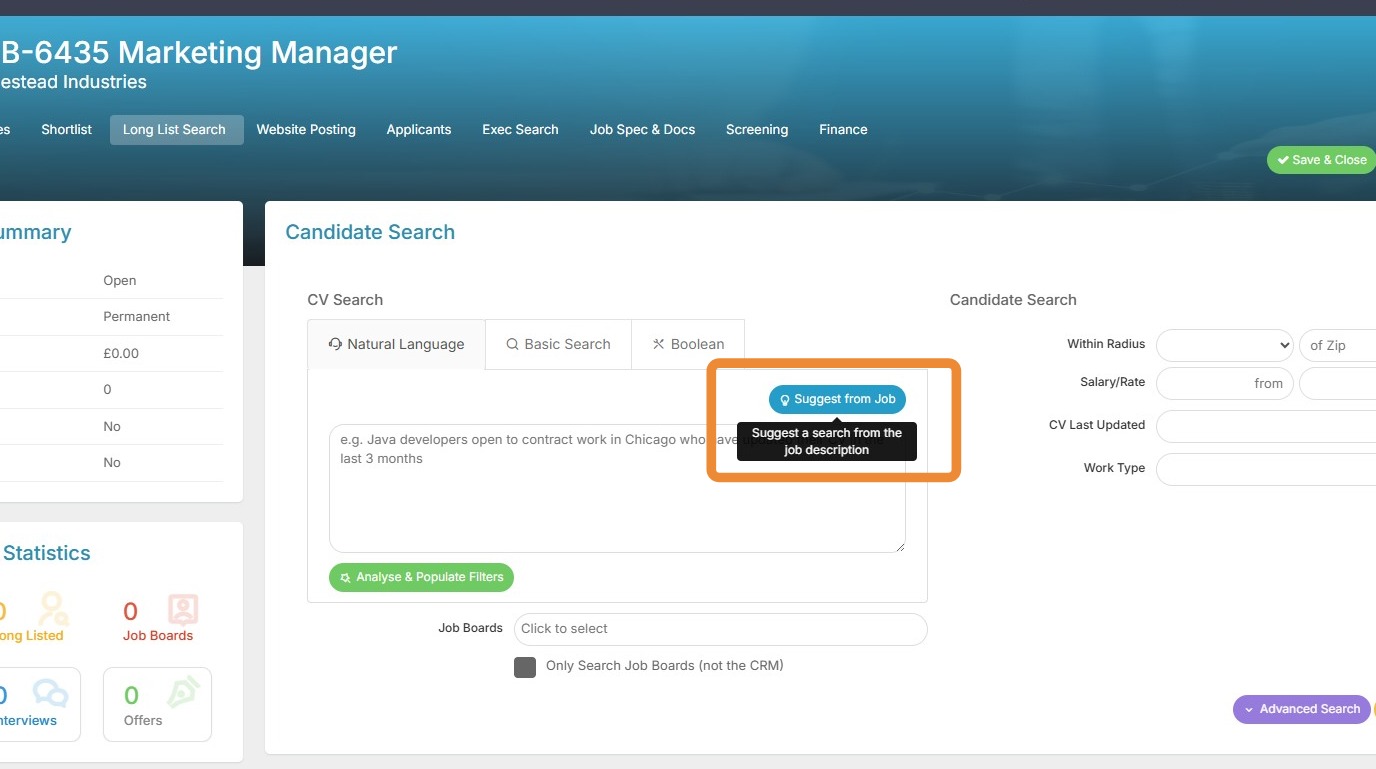
2. Here, the Suggest from Job option builds your search criteria directly from the Job Specification. The more detailed your specification, the better the Natural Language search will perform and the better your results will be. It's recommended to use our AI Assistant to generate your Job Specification for best results.
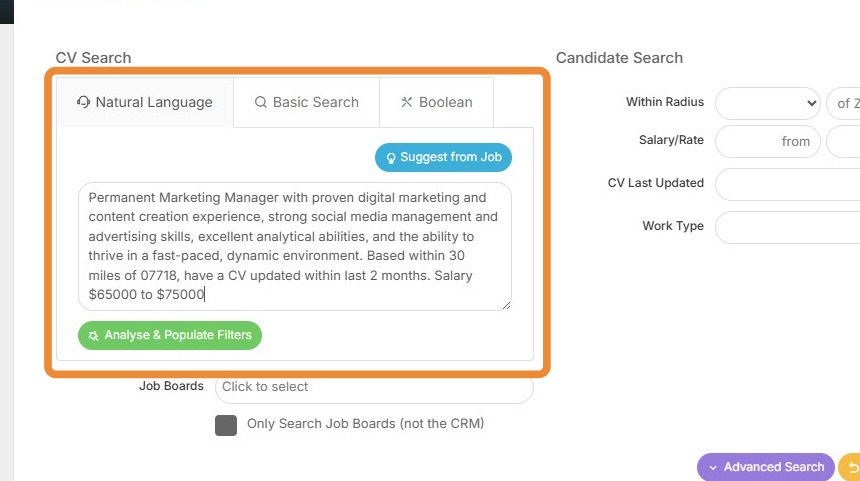
3. Here we can see the Natural Language search criteria that has been generated. I can add to this if I wish.
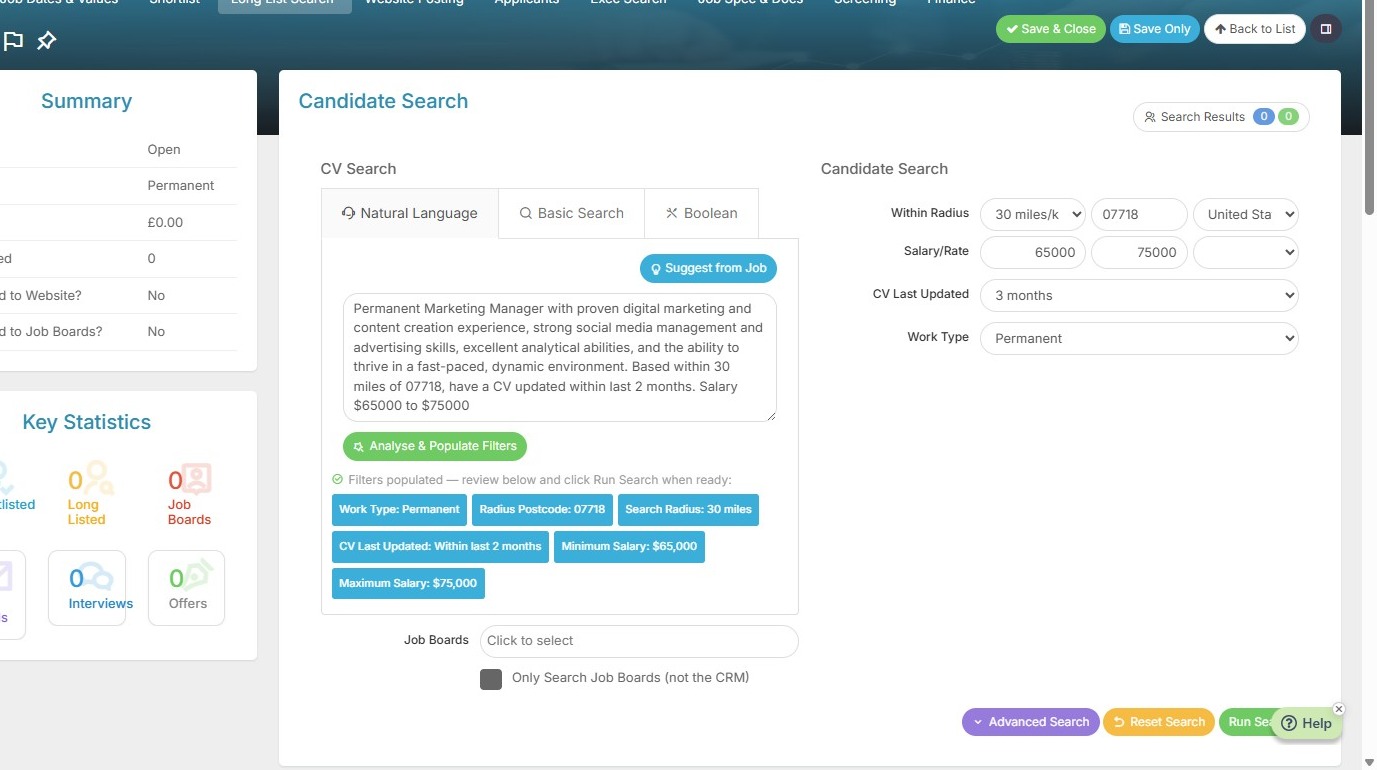
4. I can use the Analyse and Populate filters button to populate other criteria in the search form. Once clicked it will show which fields have been populated.
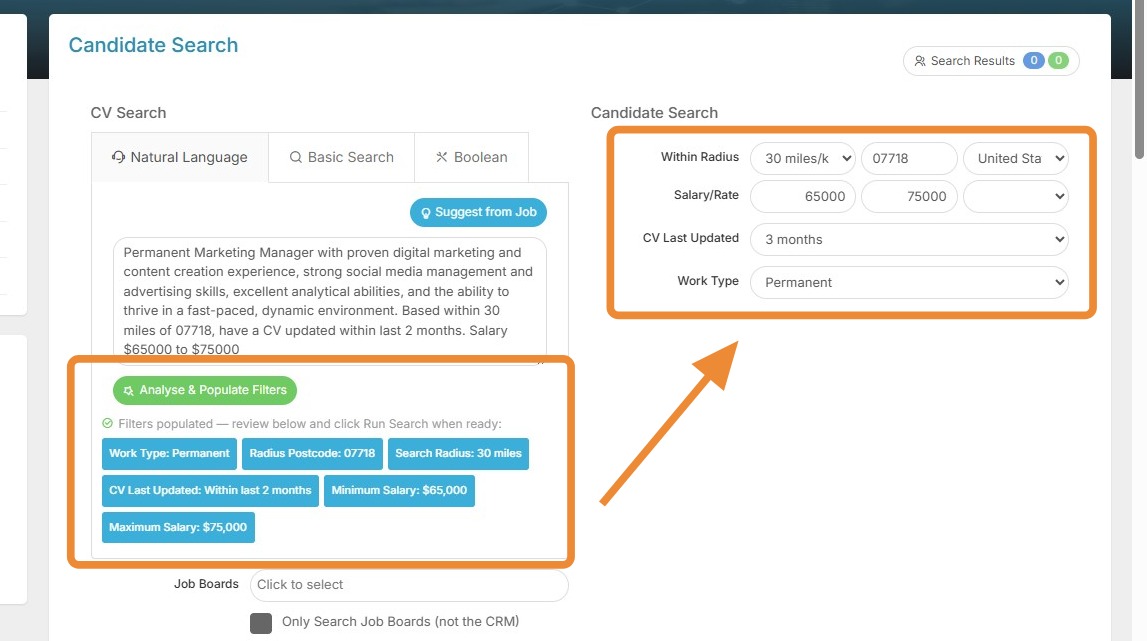
5. All that is left for me to do now is Run my Search. And that's it!
Remember, the more detail you put into your job specification, the harder Natural Language search will work for you, so it always pays to be thorough. Happy placing!