When you place a candidate, their manager is often your next best lead — they'll need to backfill that vacancy, and you're already one step ahead. The Manager Contact field makes it easy to capture and act on that connection without any extra legwork.
1. When you place a candidate, their manager is often your next best lead — they'll need to backfill that vacancy, and you're already one step ahead.
The Manager Contact field on the Candidate record makes it easy to capture and act on that connection without any extra legwork.
This field sits within the Work & Personal Information block on the Candidate record, letting you link directly to a Contact in Tracker.
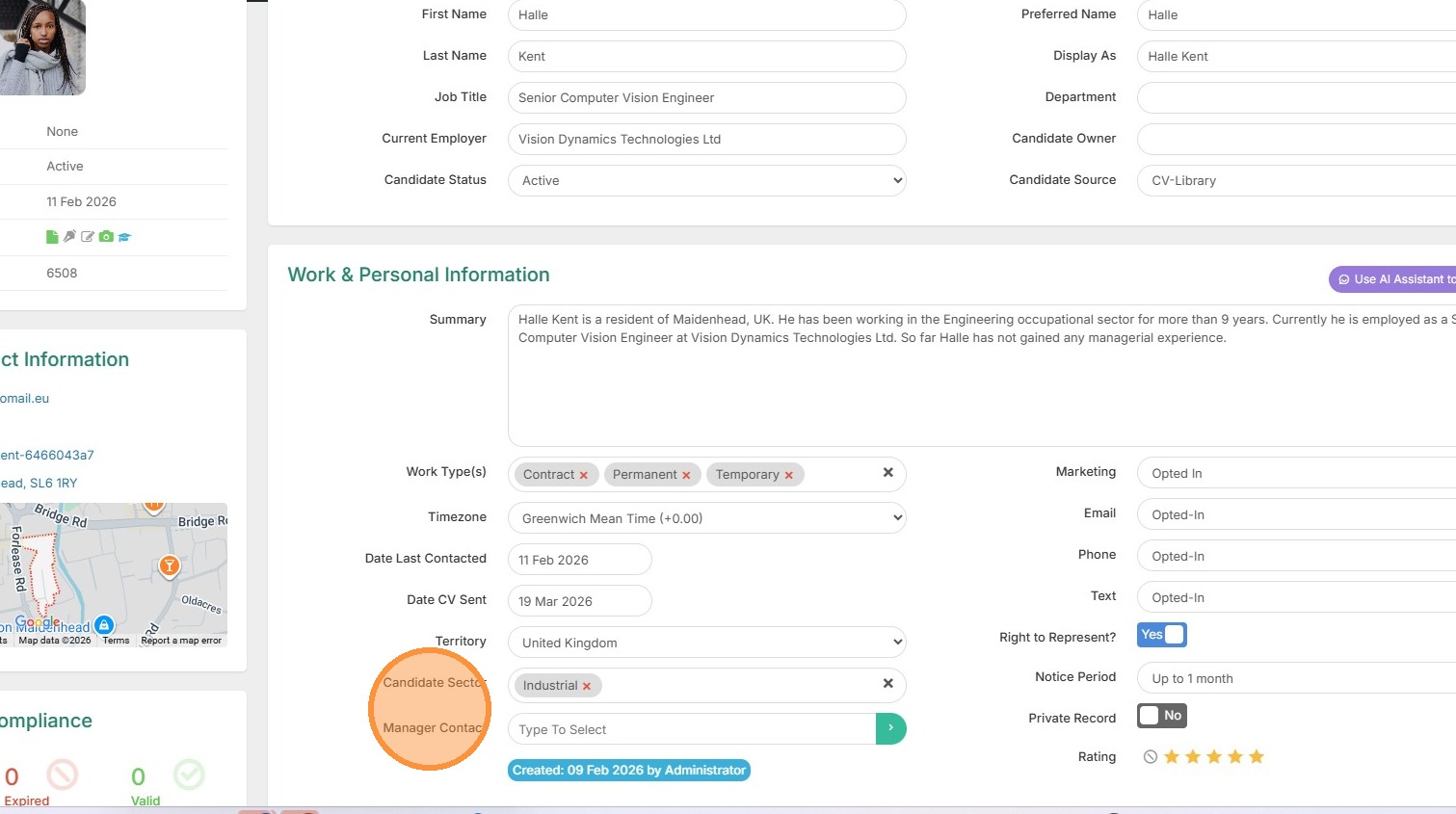
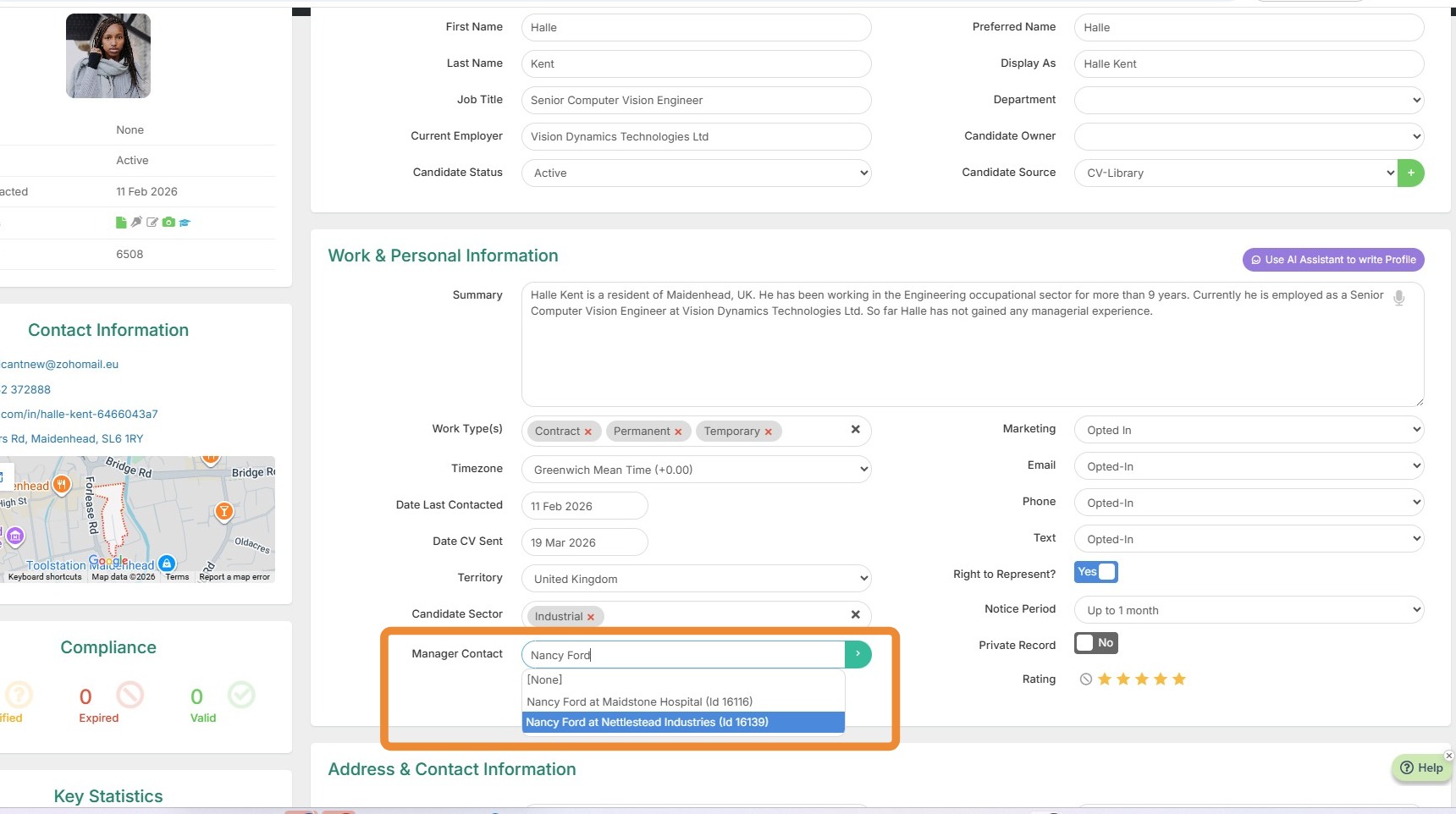
2. Once you type in the Managers name a list matching your Tracker Contacts will display for you to select the correct one and make the link.
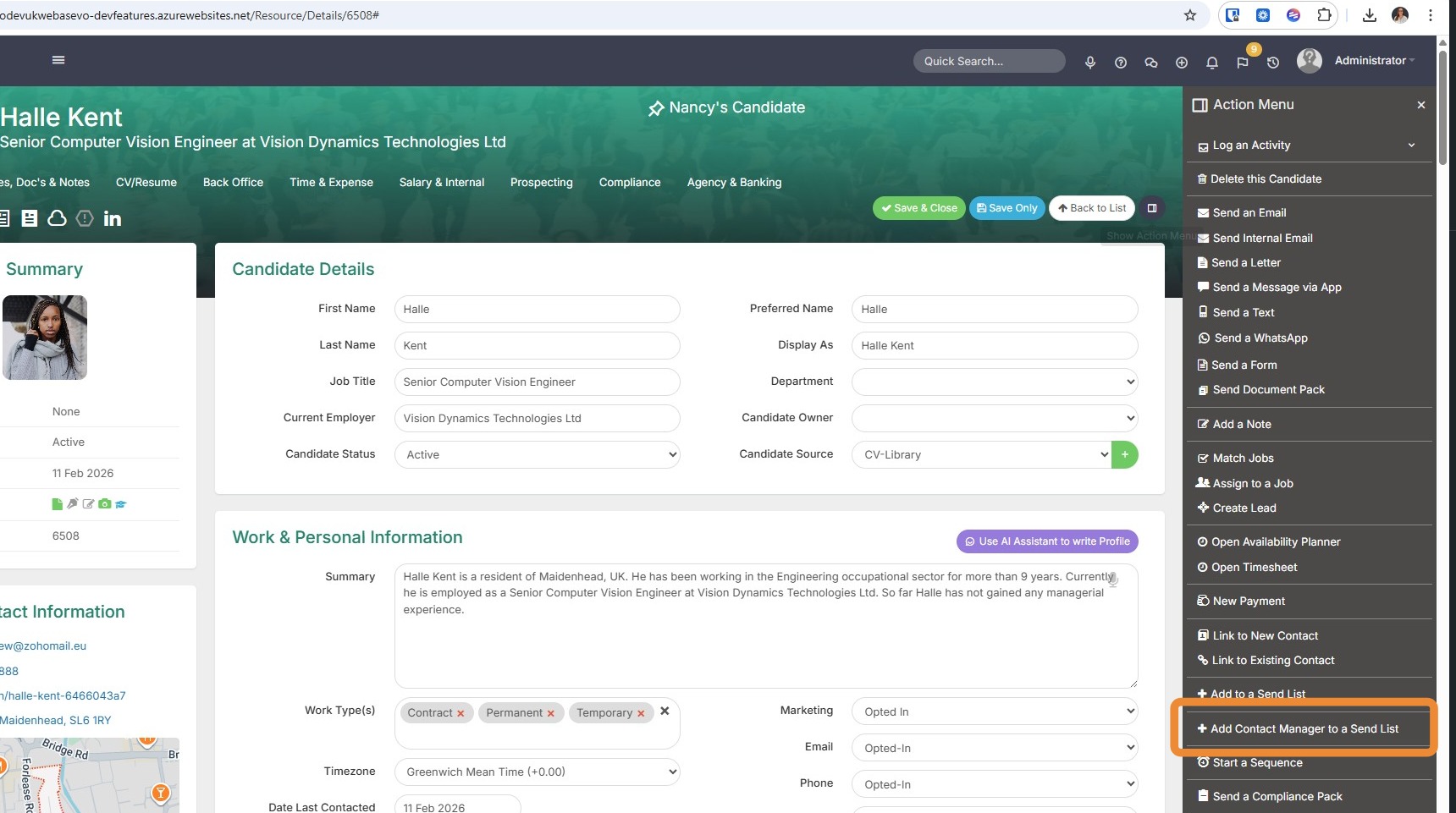
3. Turn this contact into a pipeline. Use Add Manager to Contact Send List from the Action menu on the Candidate record to instantly target that manager for Business Development outreach.
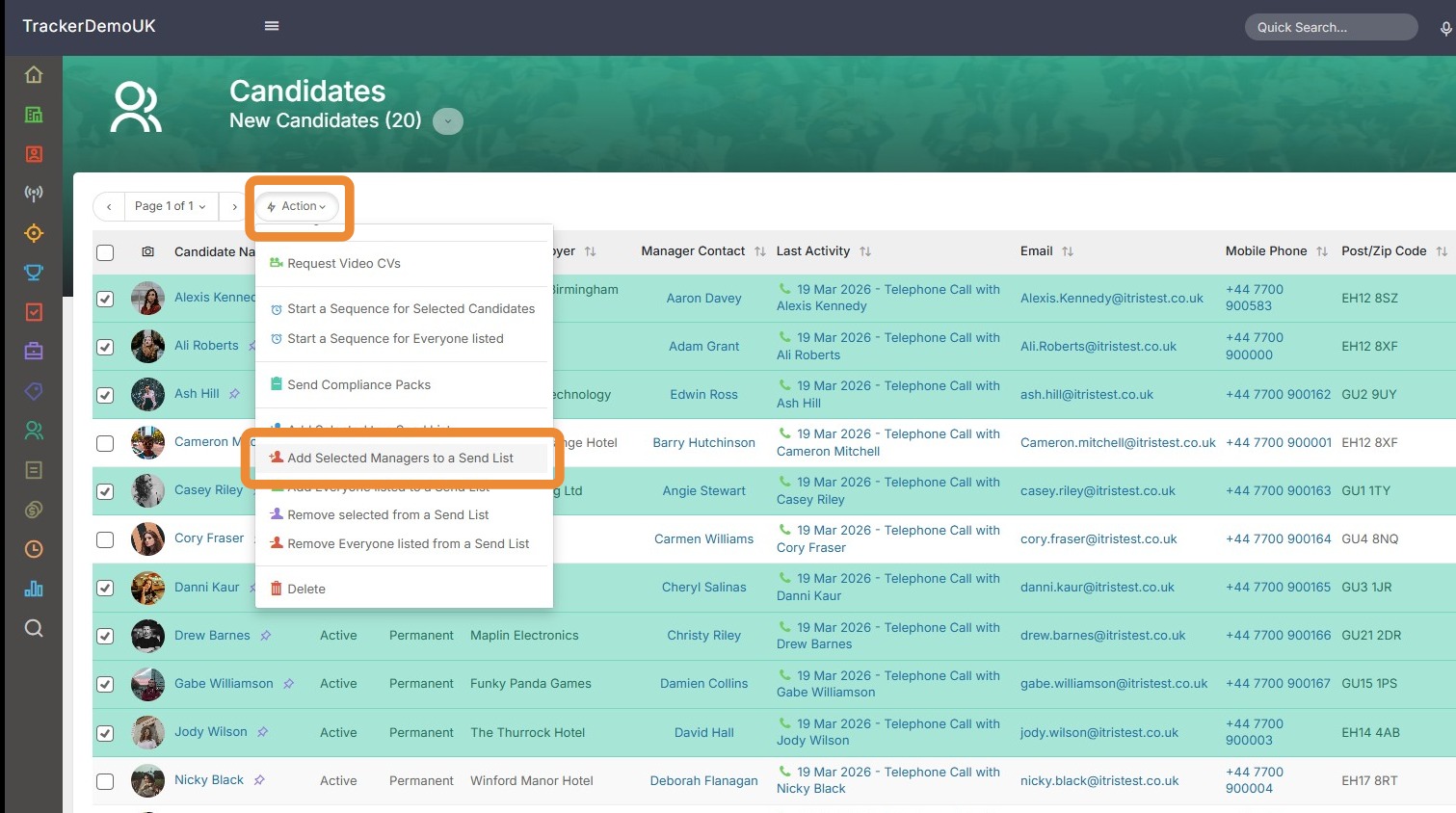
4. You can also do this in bulk from the Candidate Record View.
For example you can use the New Candidates view to see all those added in the last 7 days.
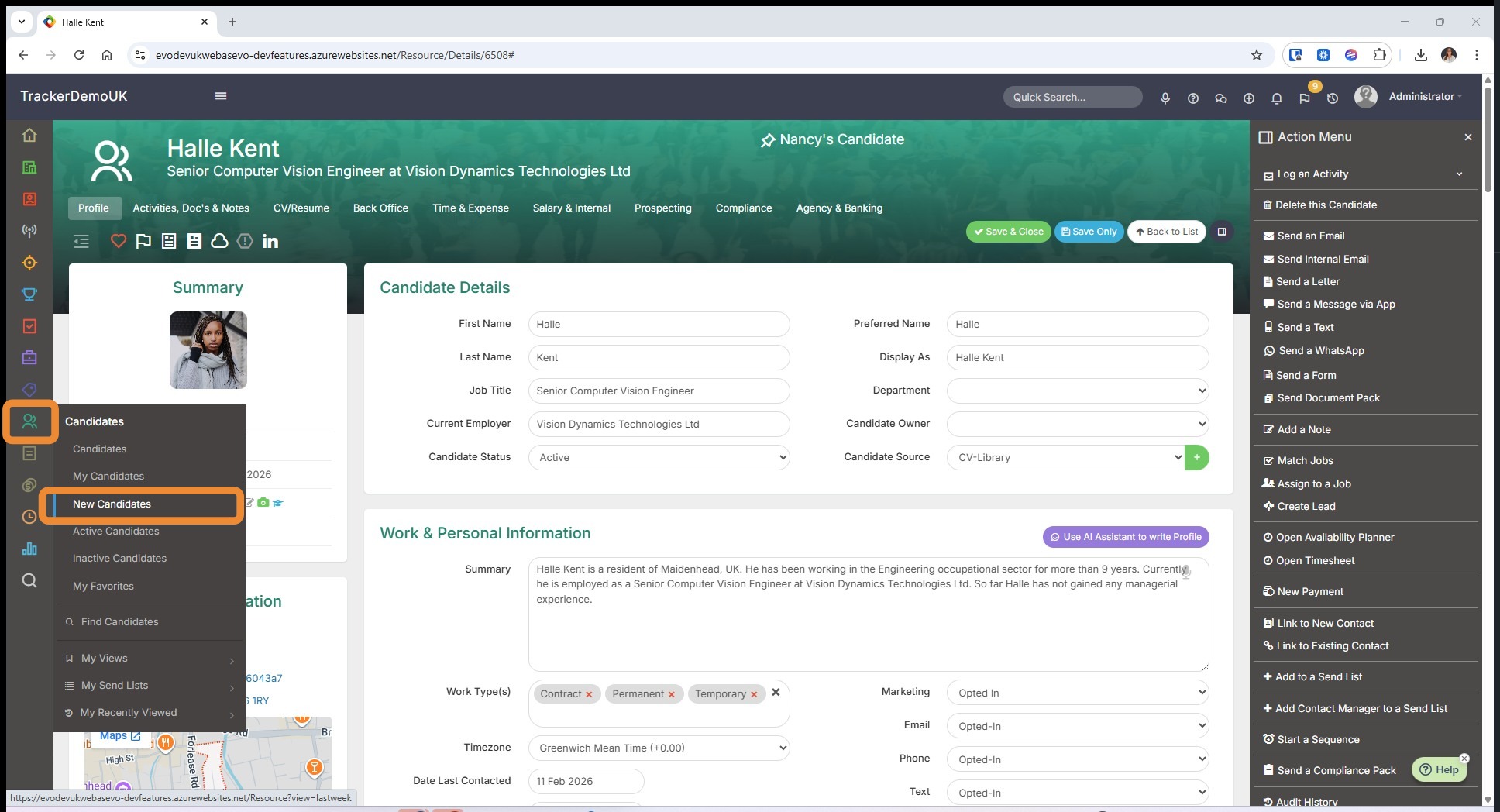
5. In the New Candidate Record View we can see recently registered candidates and via the Manager Contact field identify their managers. Here we have a ready-made list of contacts who are likely to have positions to fill.
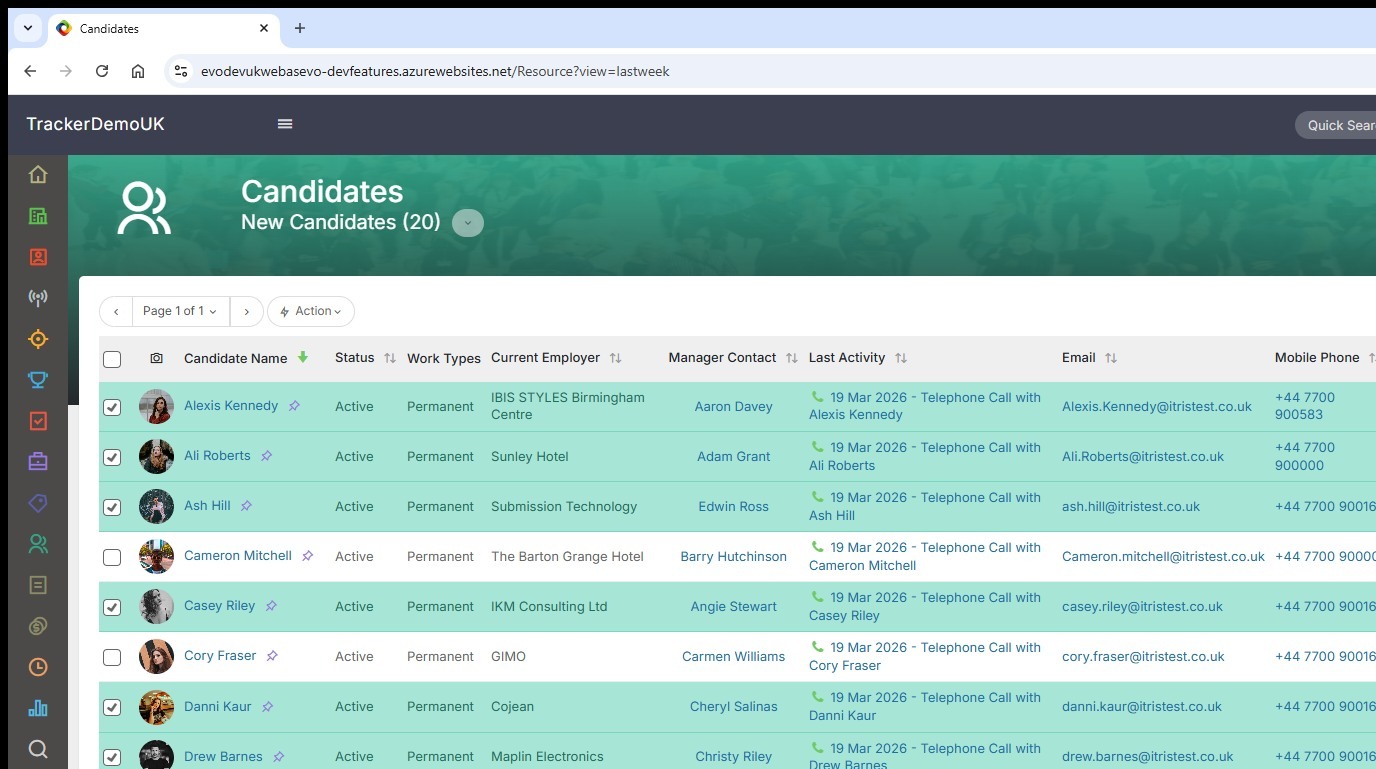
6. Once we have selected those contacts we wish to target, via the Action Menu we can add them to a Send List.
Use this send list to fire off targeted marketing campaigns or generate fresh leads before your competitors even know the role is available.