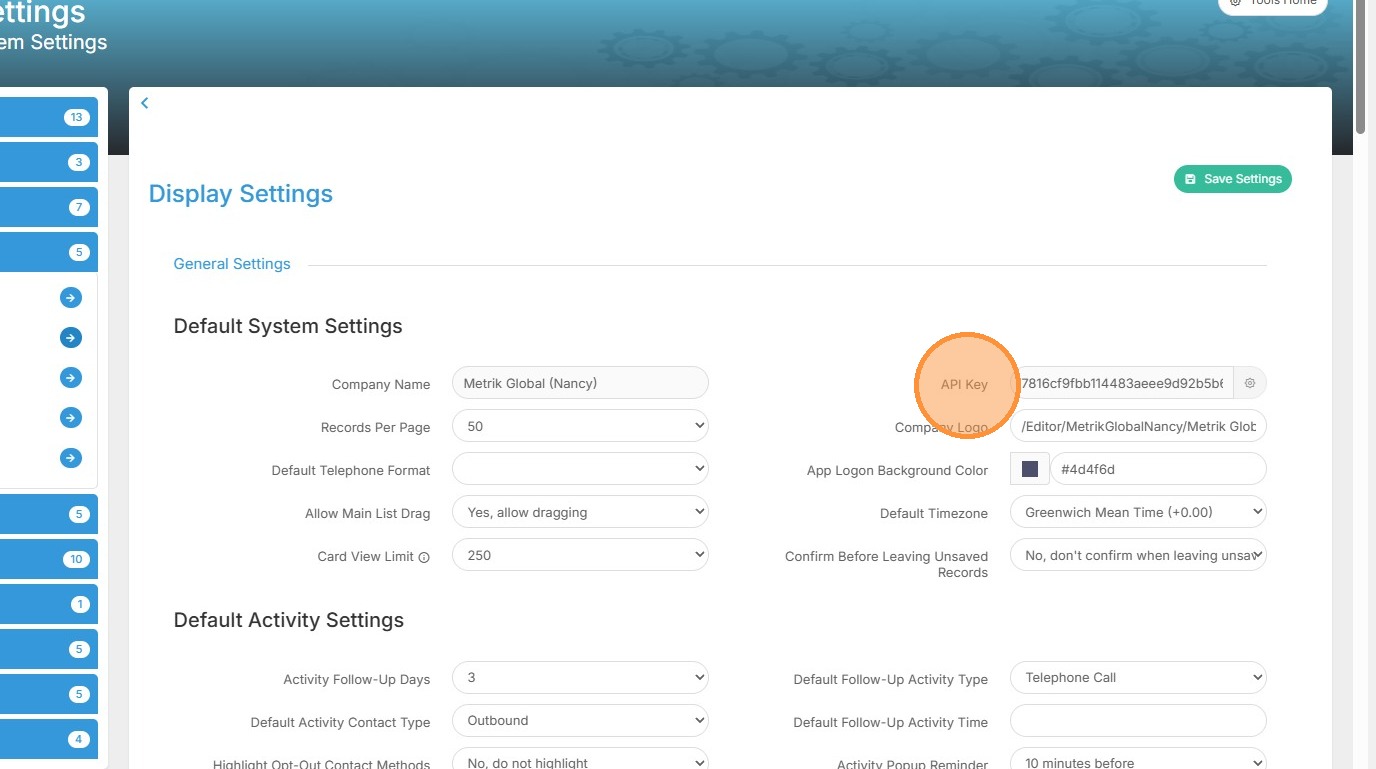
Get Partner Integration API Key
Follow this guide to quickly locate your API key settings within Tracker.
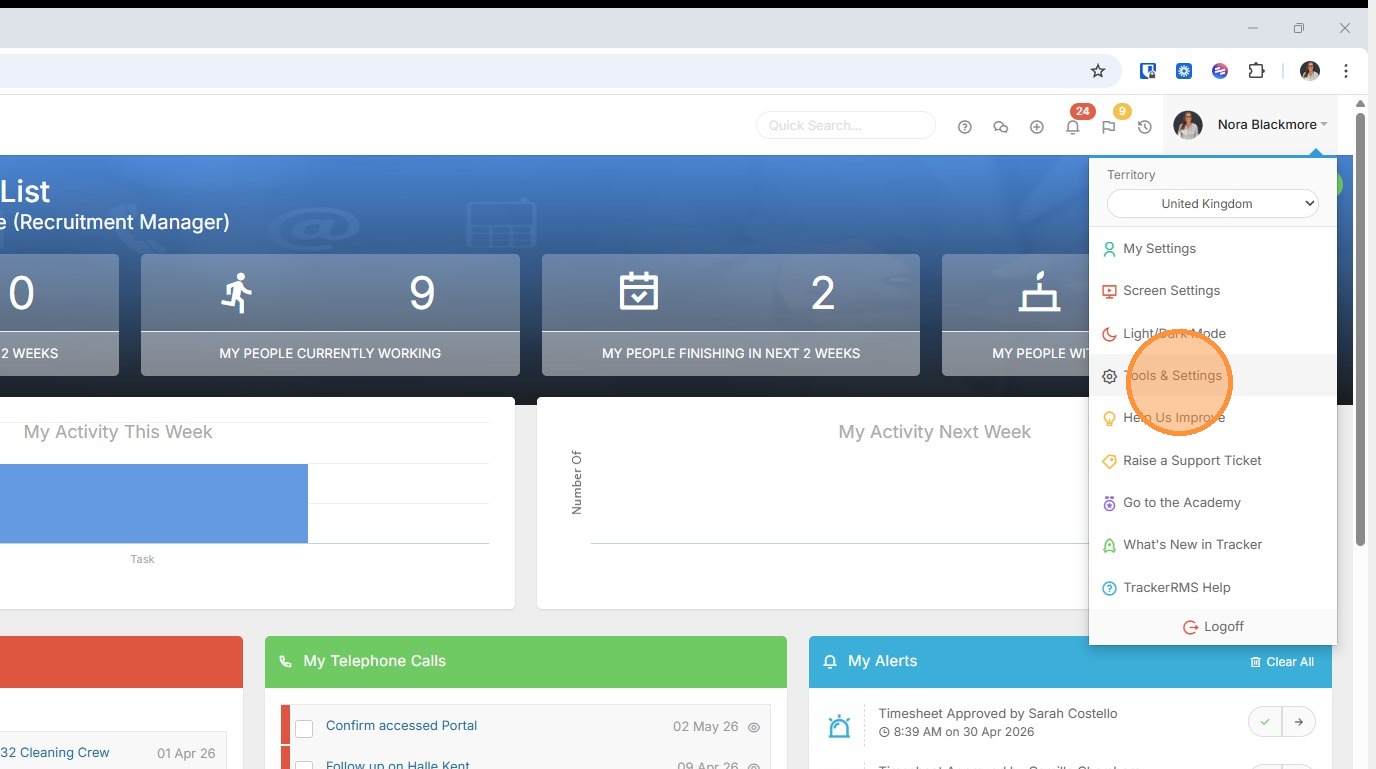
1. Your API Key is located within Tools and Settings, to access this click on the Profile Menu and choose Tools & Settings.
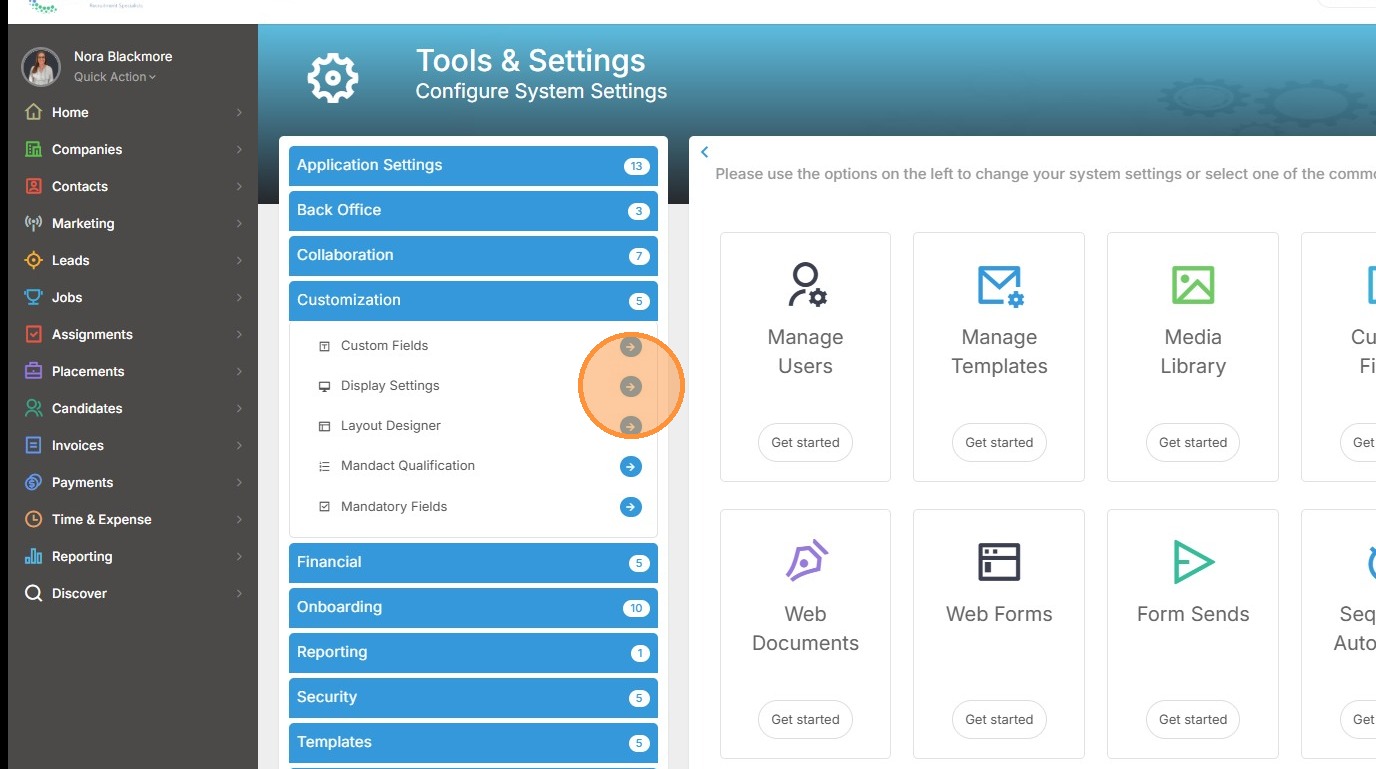
2. Under the Customization group of settings you'll see Display Settings. If you don't have access to this please speak to your internal database administrator.
3. Within Display Settings you'll find your API Key here.