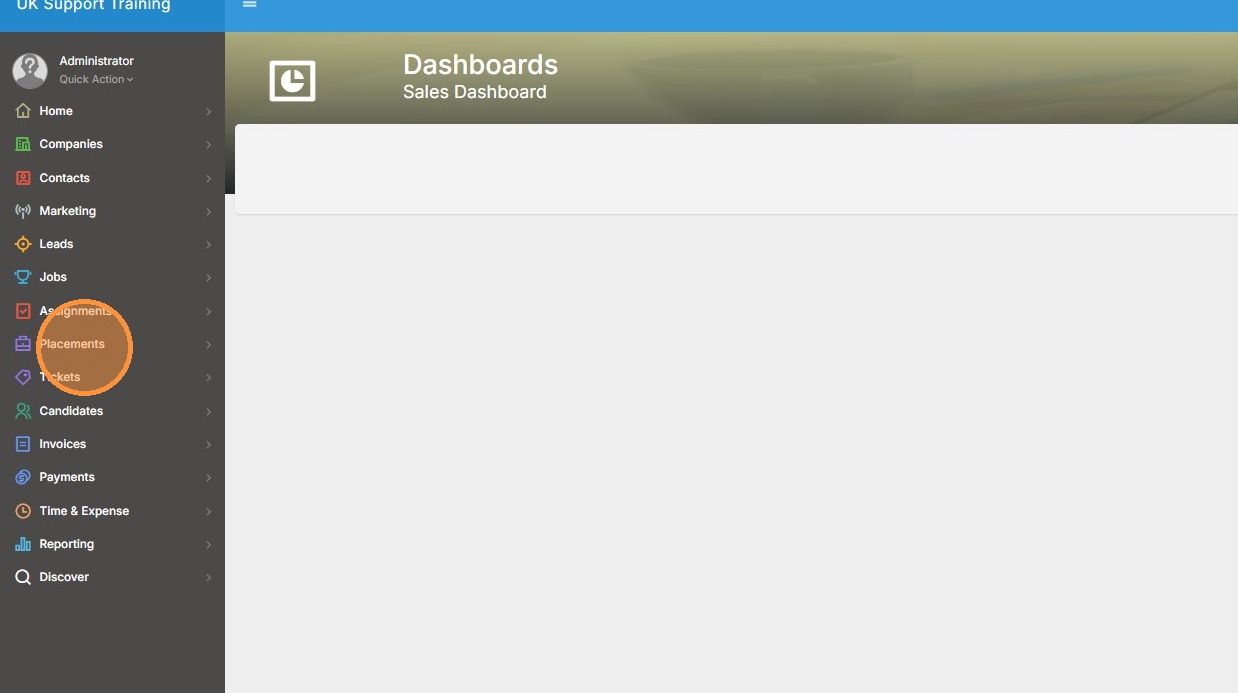
1. Click "Placements"
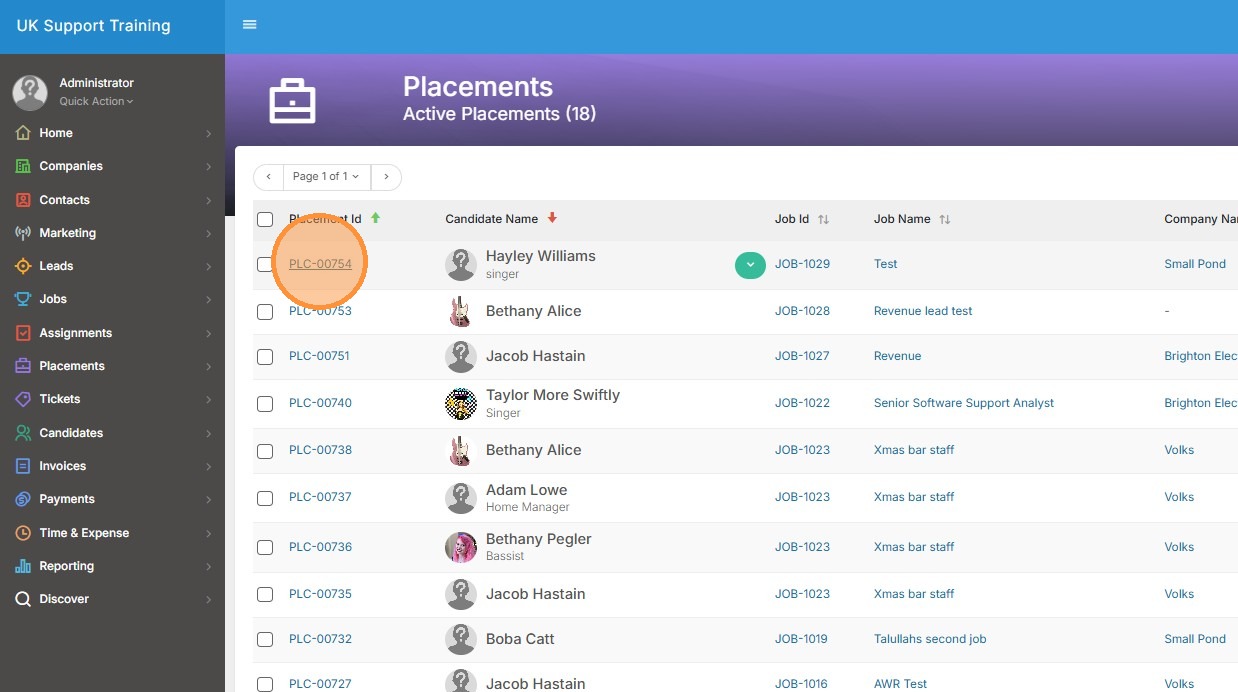
2. Click on the placement you wish to edit the currency on.
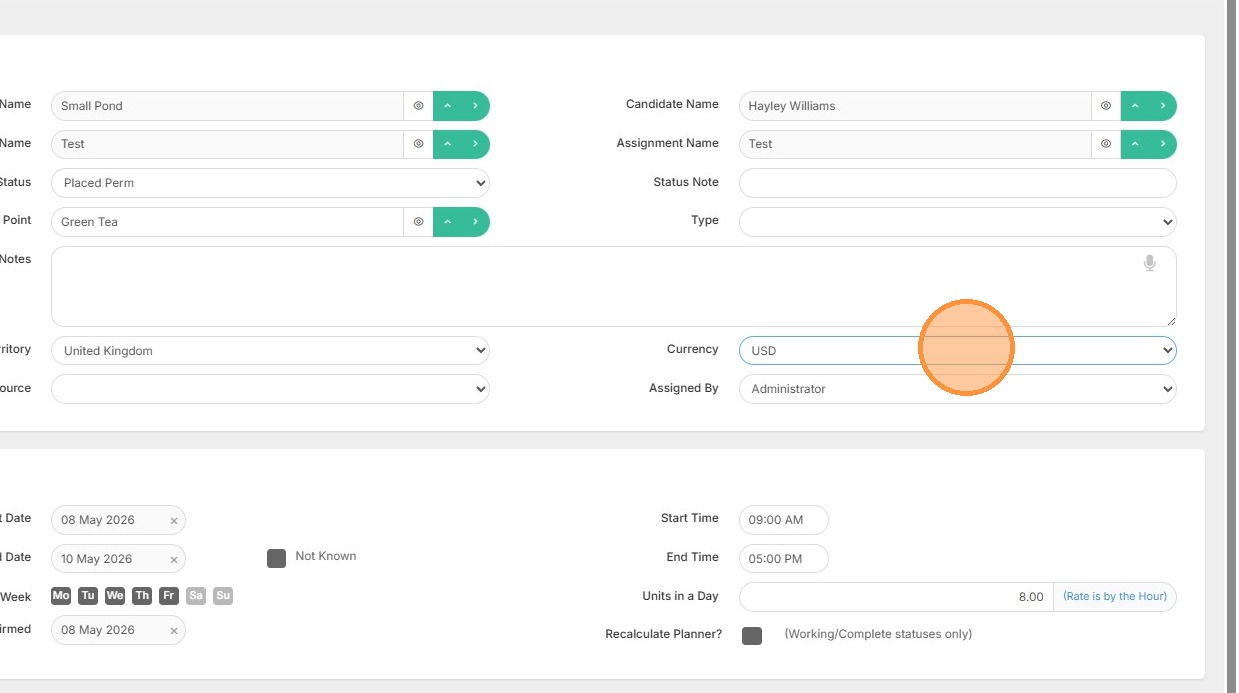
3. Hover over to the Currency Field and select the relevant currency.
4. Click "Save Only" or "Save & Close" If you're done with the record
Your one-stop shop for help on TrackerRMS
1. Click "Placements"
2. Click on the placement you wish to edit the currency on.
3. Hover over to the Currency Field and select the relevant currency.
4. Click "Save Only" or "Save & Close" If you're done with the record