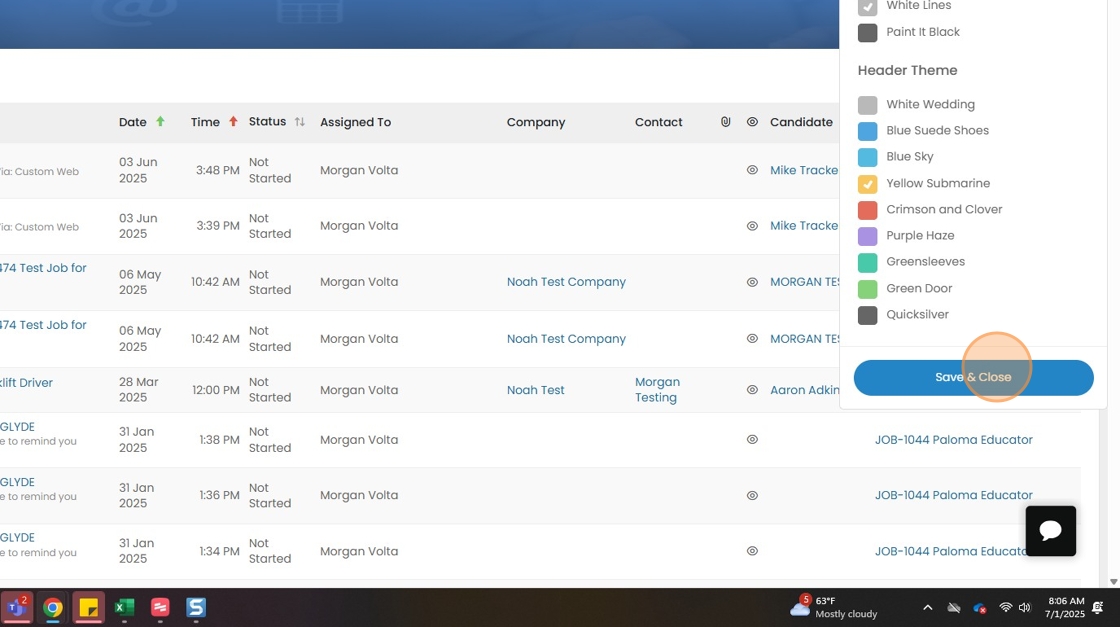
This lesson shows you how to change the color of your screen.
Changing the Color of the Screen
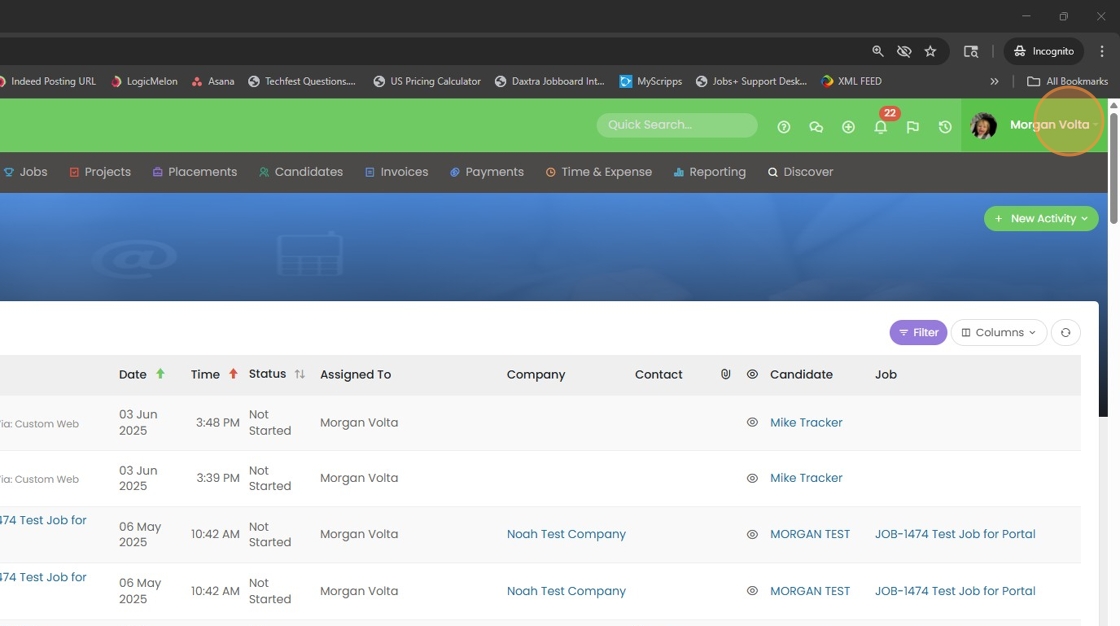
1. Click on your name at the top right corner of your screen.
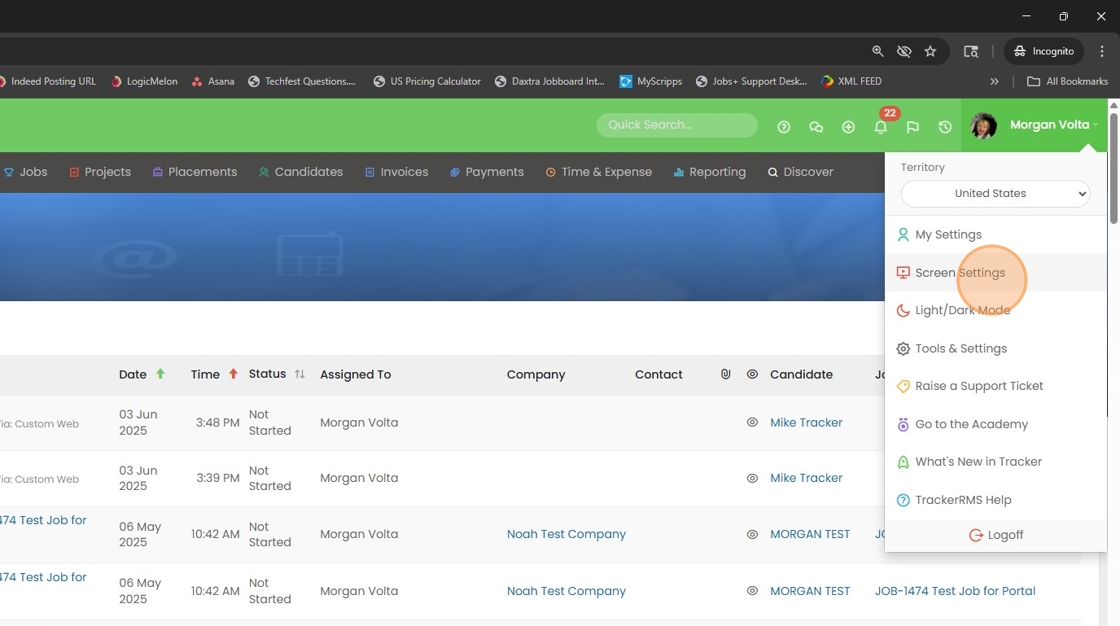
2. Select Screen Settings
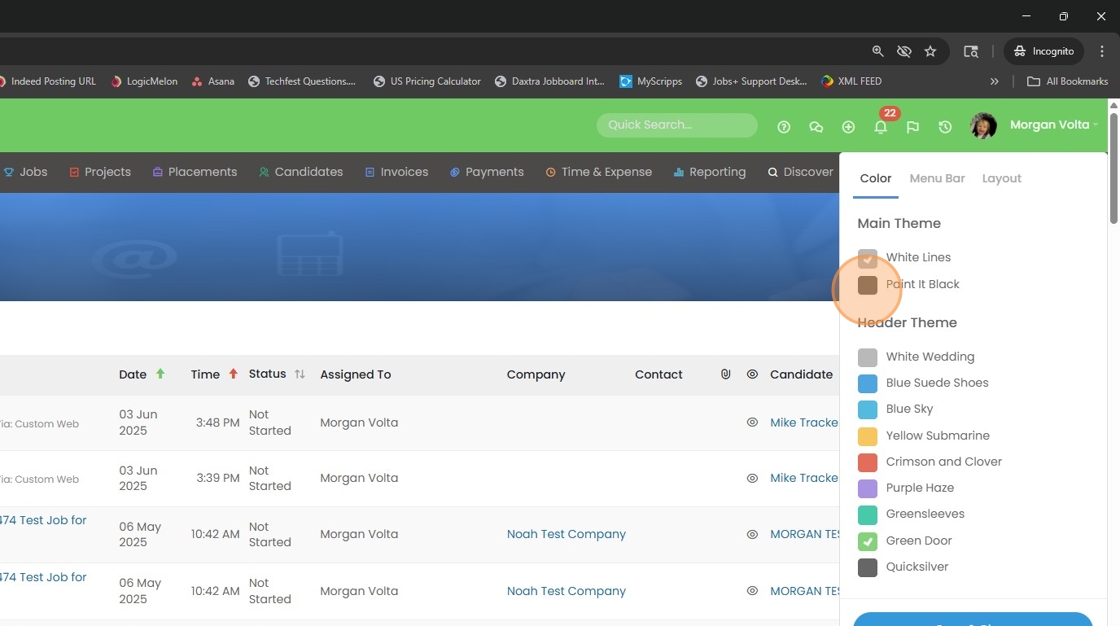
3. The Main Theme will change the overall background color.
4.
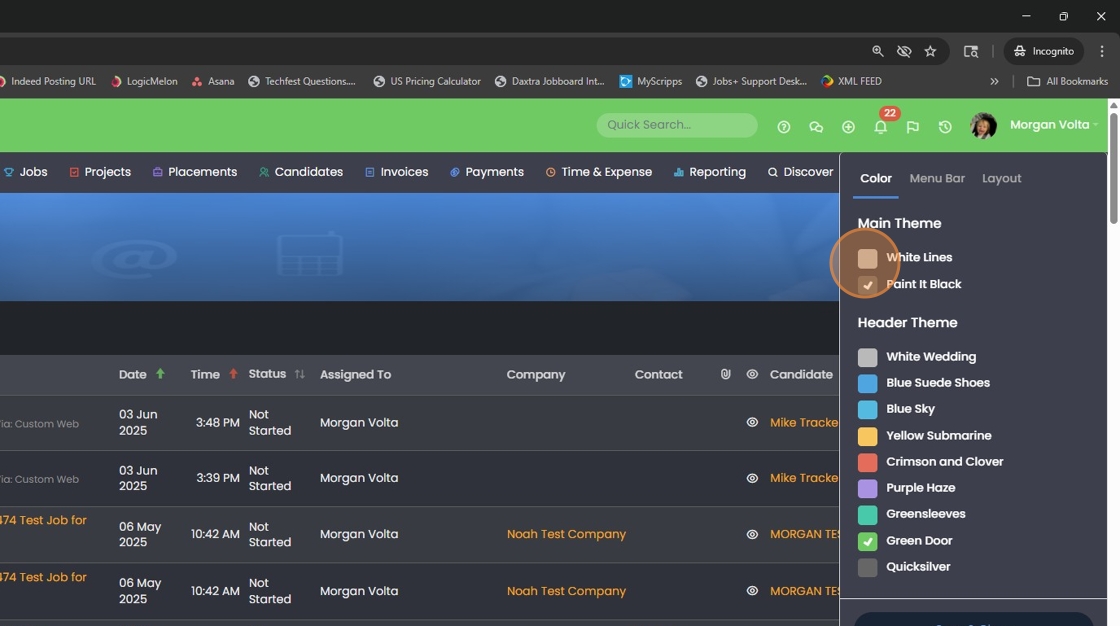
5. The Header Theme will change the top bar color (mine is currently Green Door).
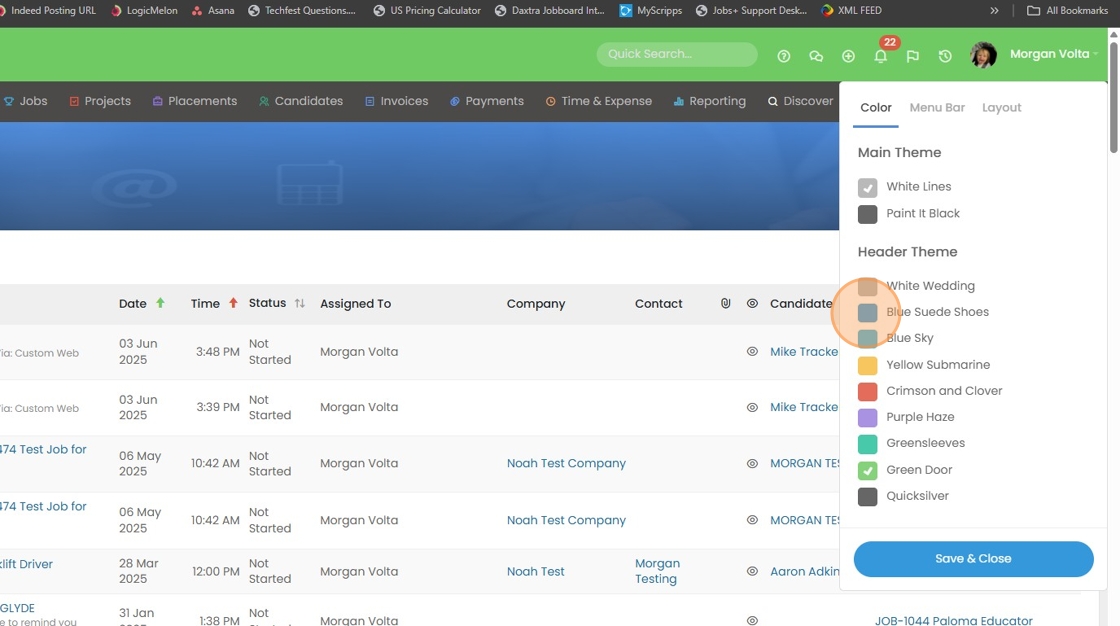
6.
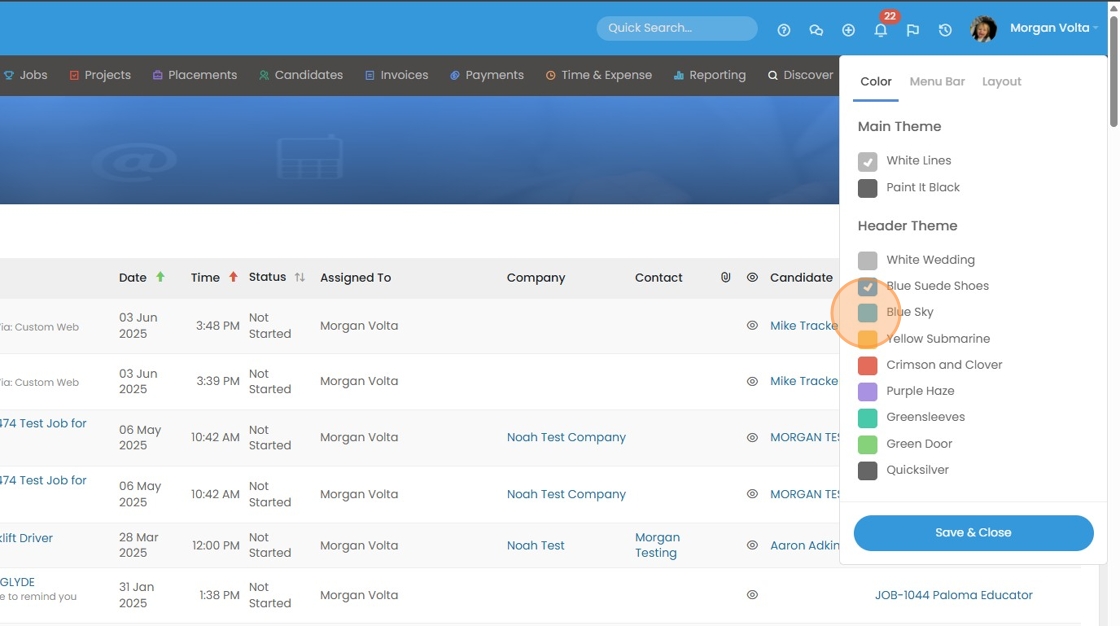
7. Click "Save & Close"