This option to send resumes internally and to clients is helpful if you don't want to send an email, and still want credit for performing the action. Stay tuned!
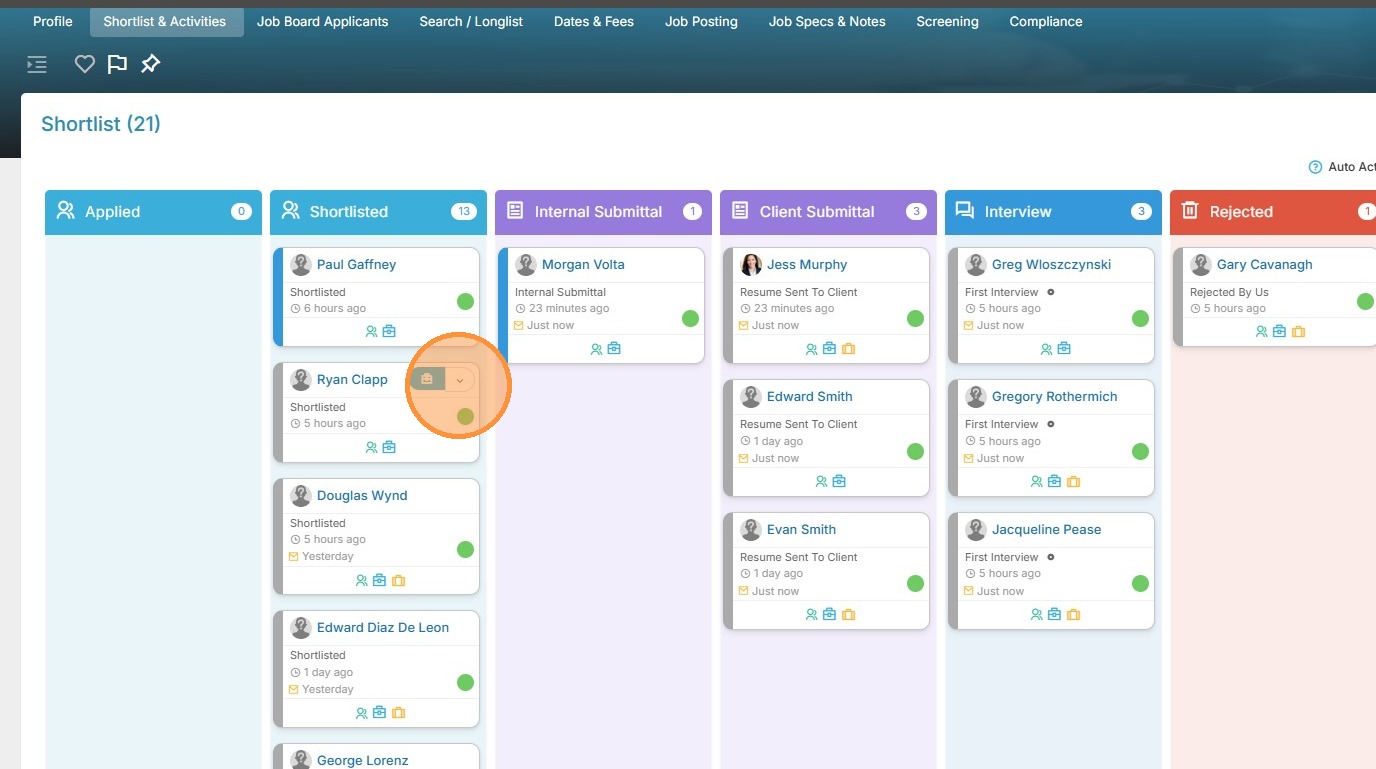
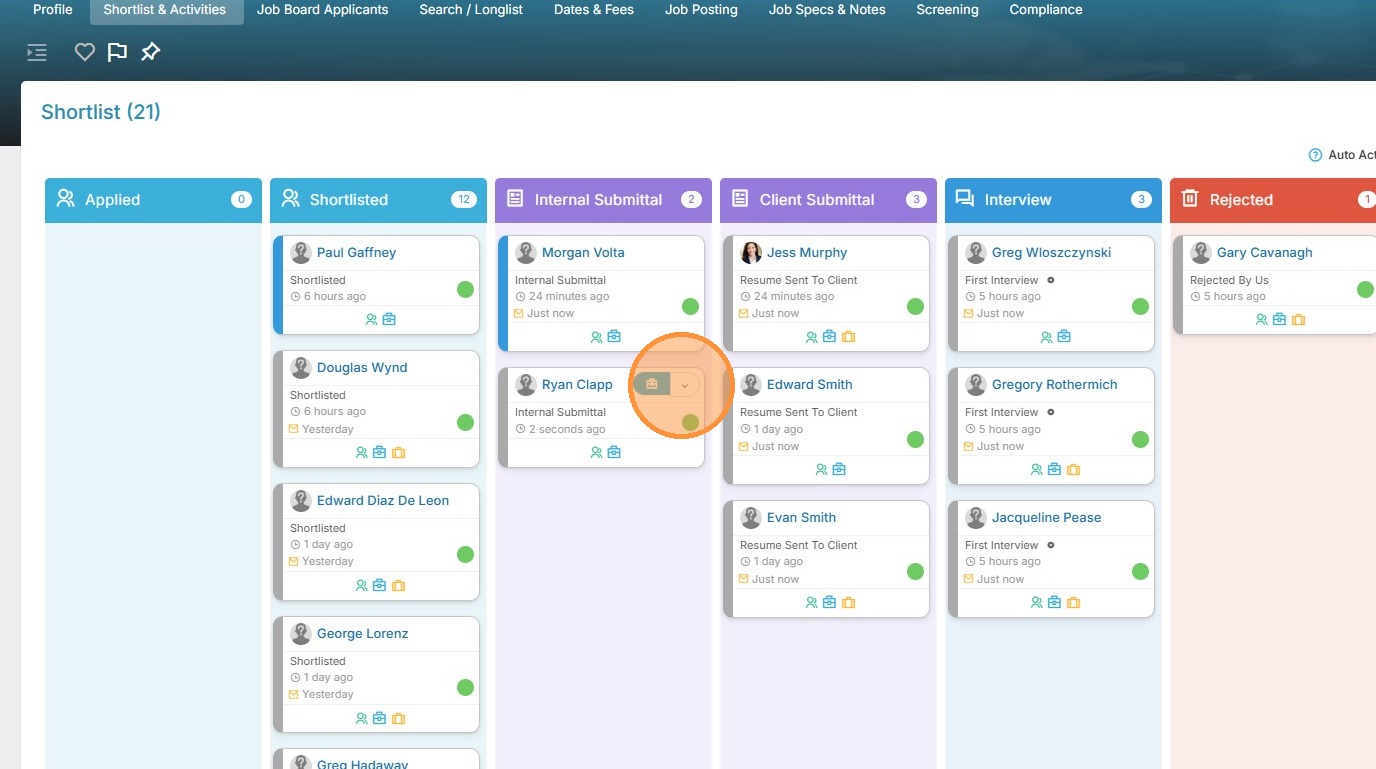
1. To manually mark a resume as sent internally (without actually sending an email, you just need credit for it), click on the dropdown arrow next to that candidate.
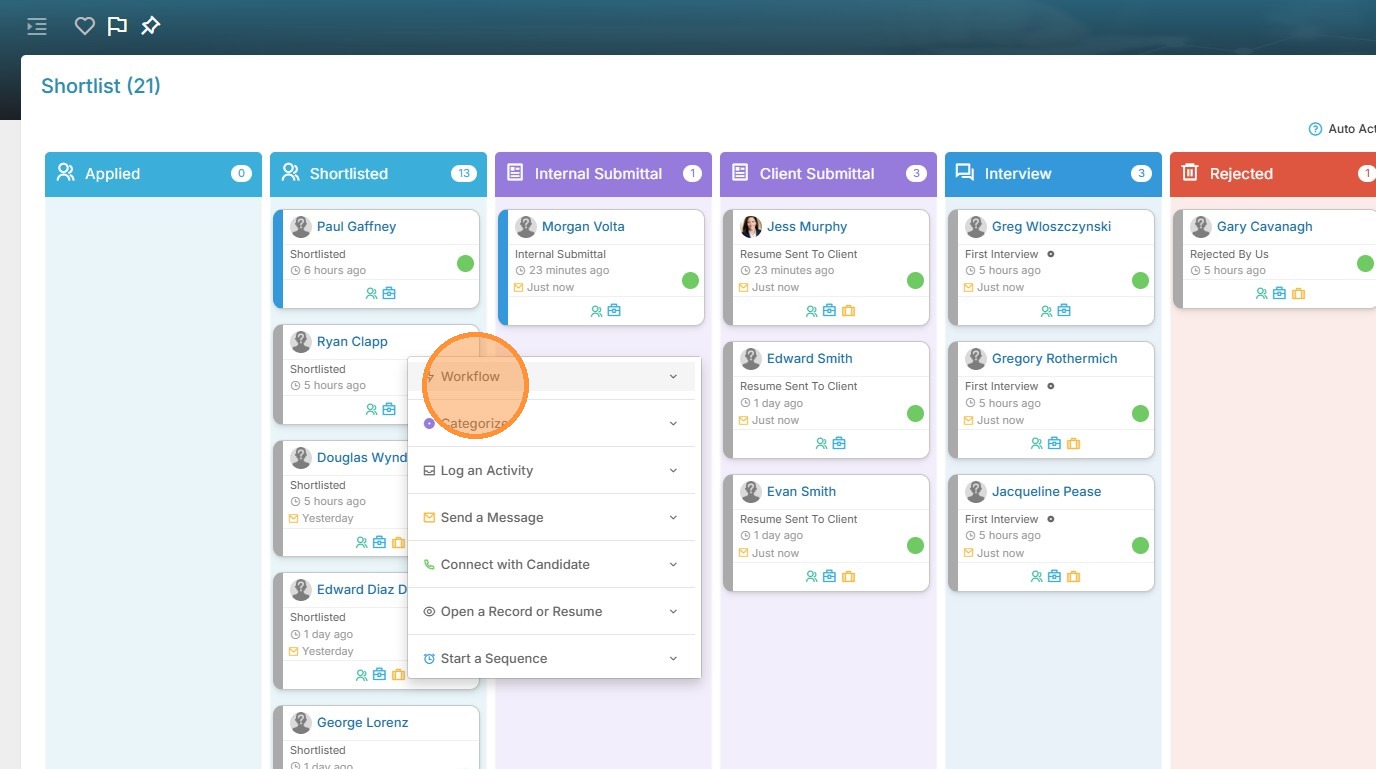
2. Click "Workflow".
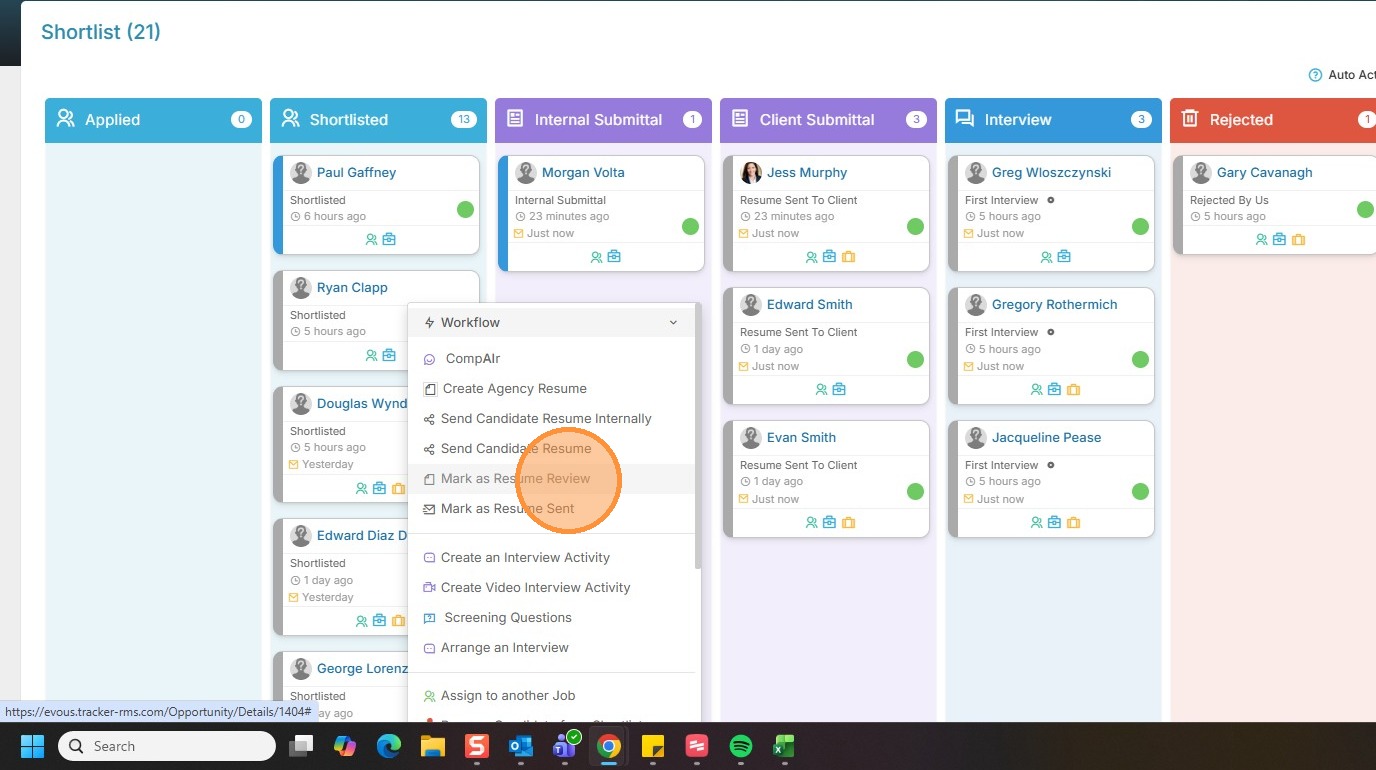
3. Click "Mark as Resume Review"
4. Scroll down or open up the job activities, and refresh it.
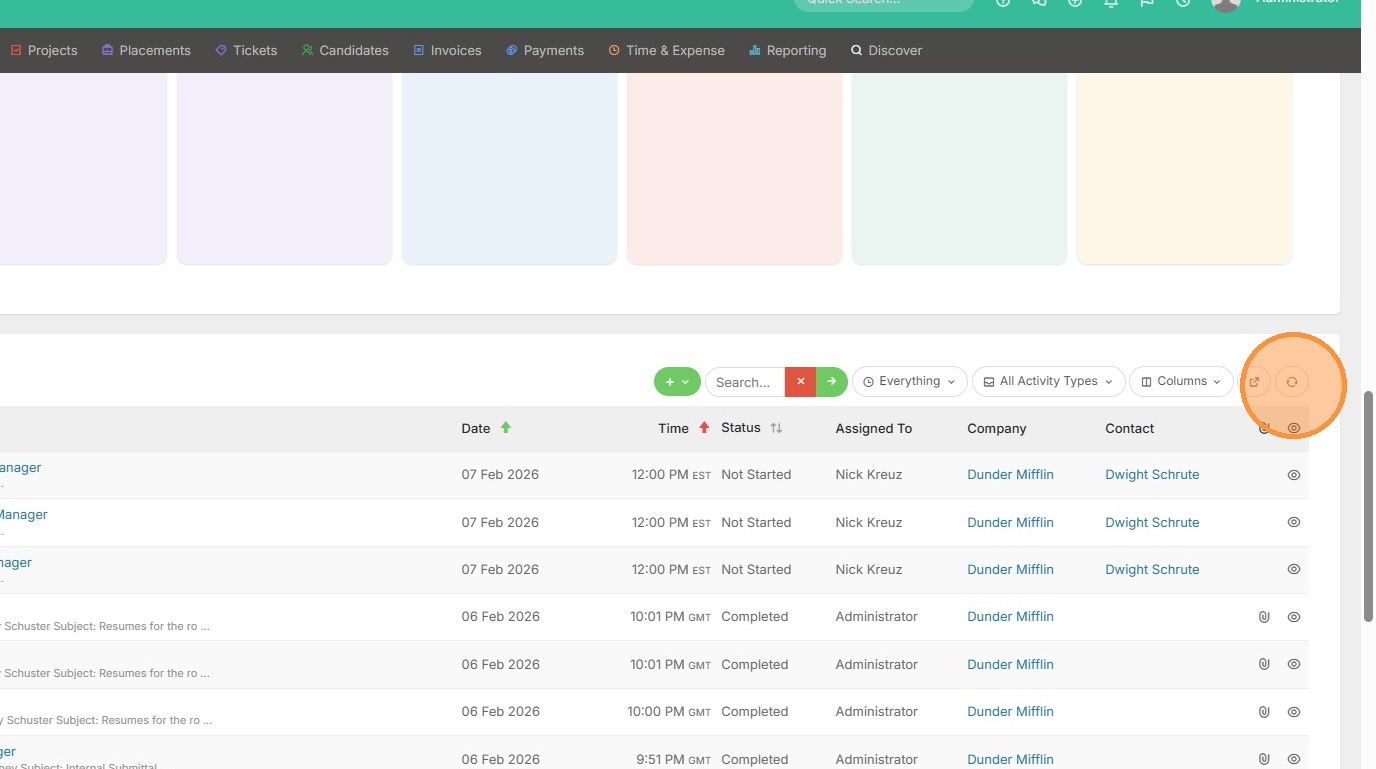
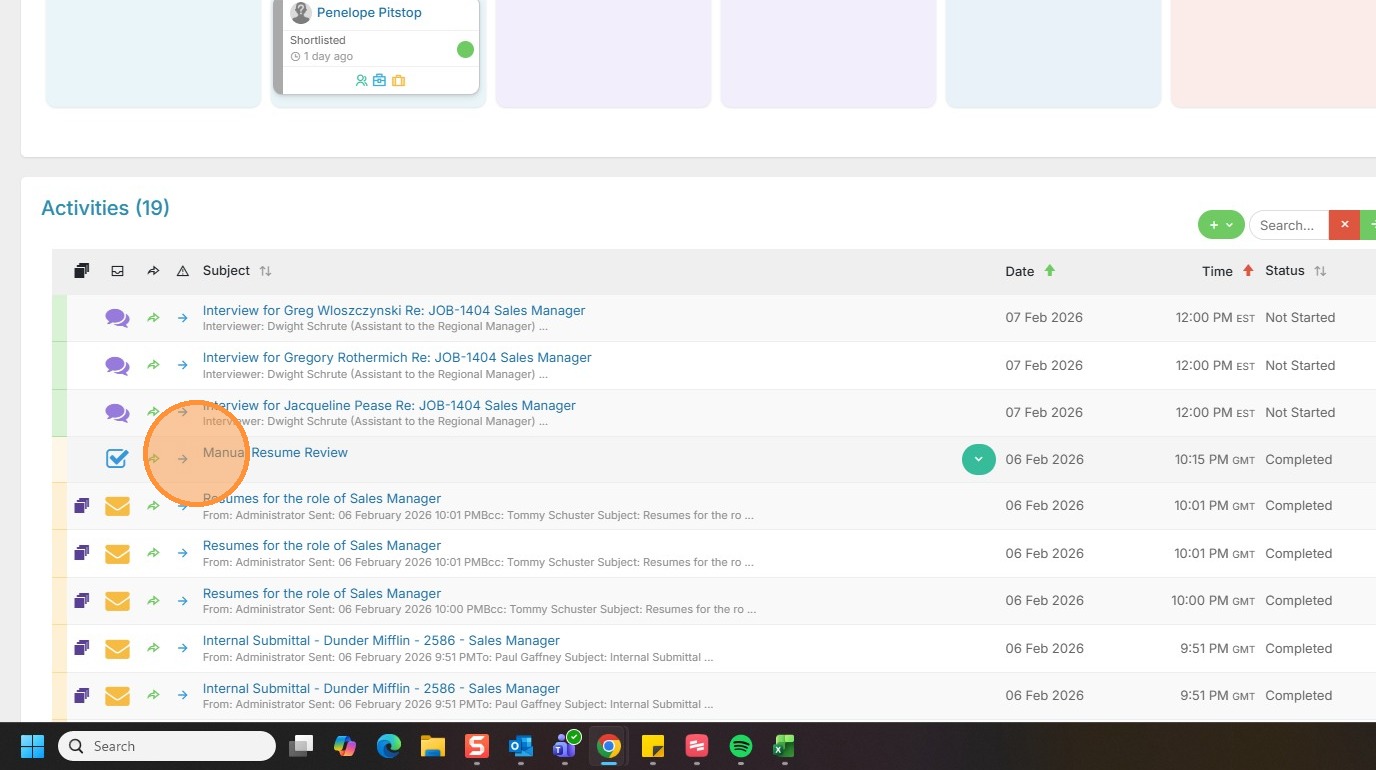
5. You'll see that manual resume review activity has automatically been logged, so you receive credit in your reports and dashboards.
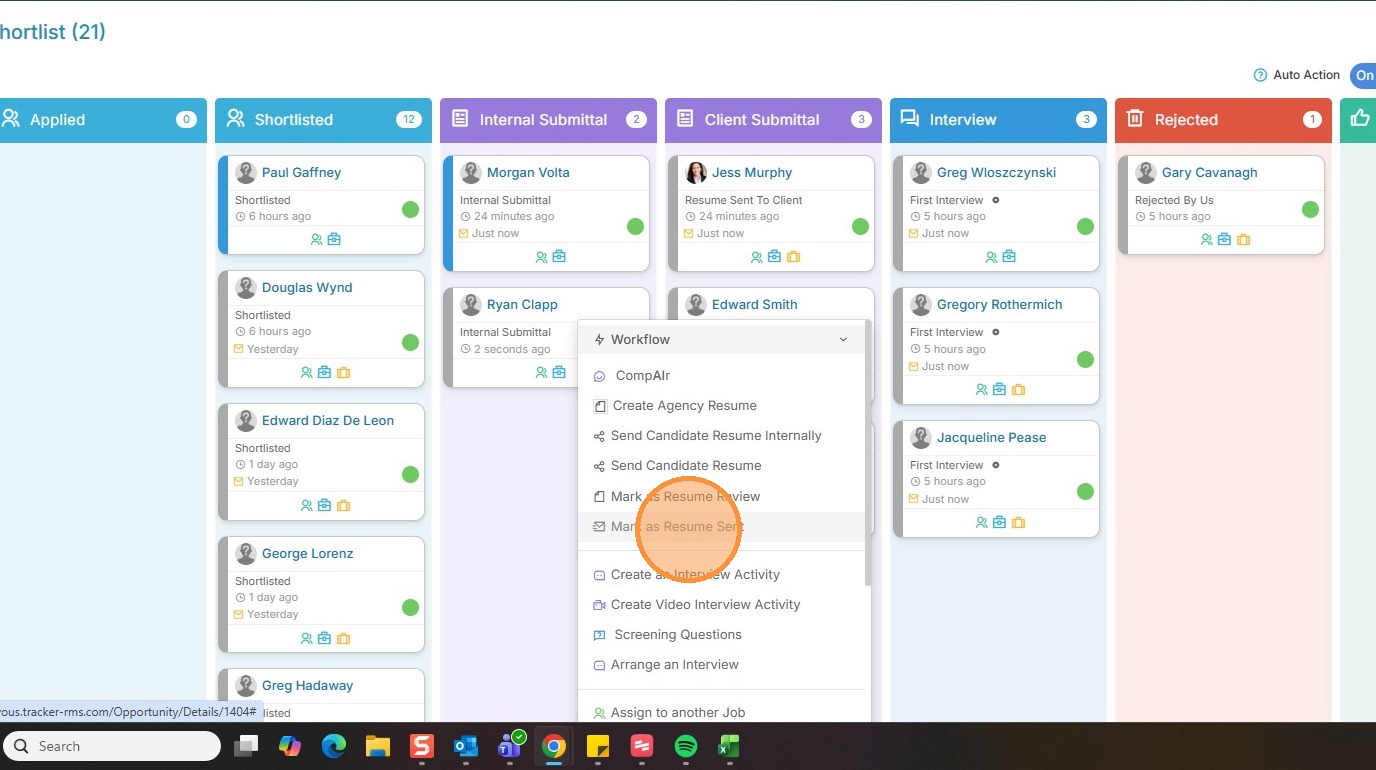
6. To mark a candidate as "Resume Sent to Client", without sending an email, click on their dropdown arrow.
7. Click "Workflow".
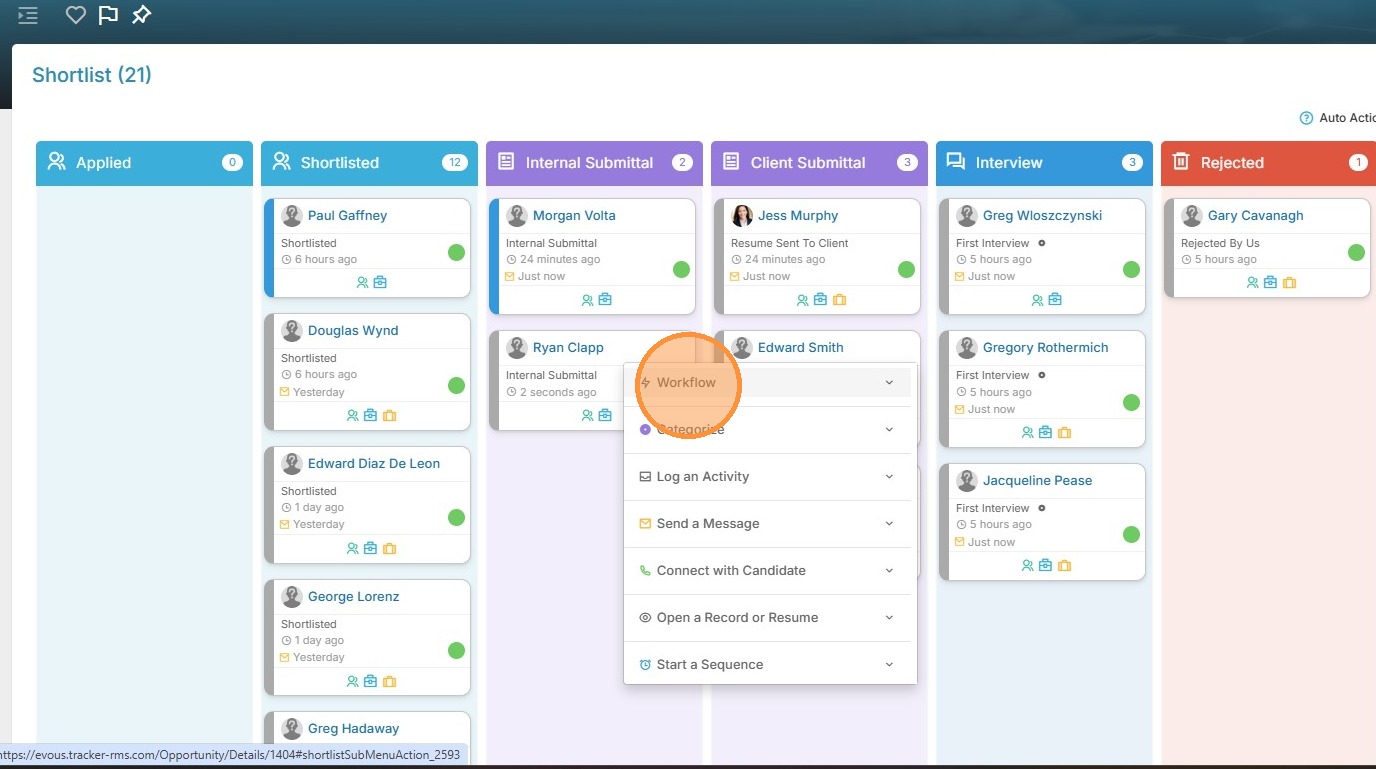
8. Click "Mark as Resume Sent"
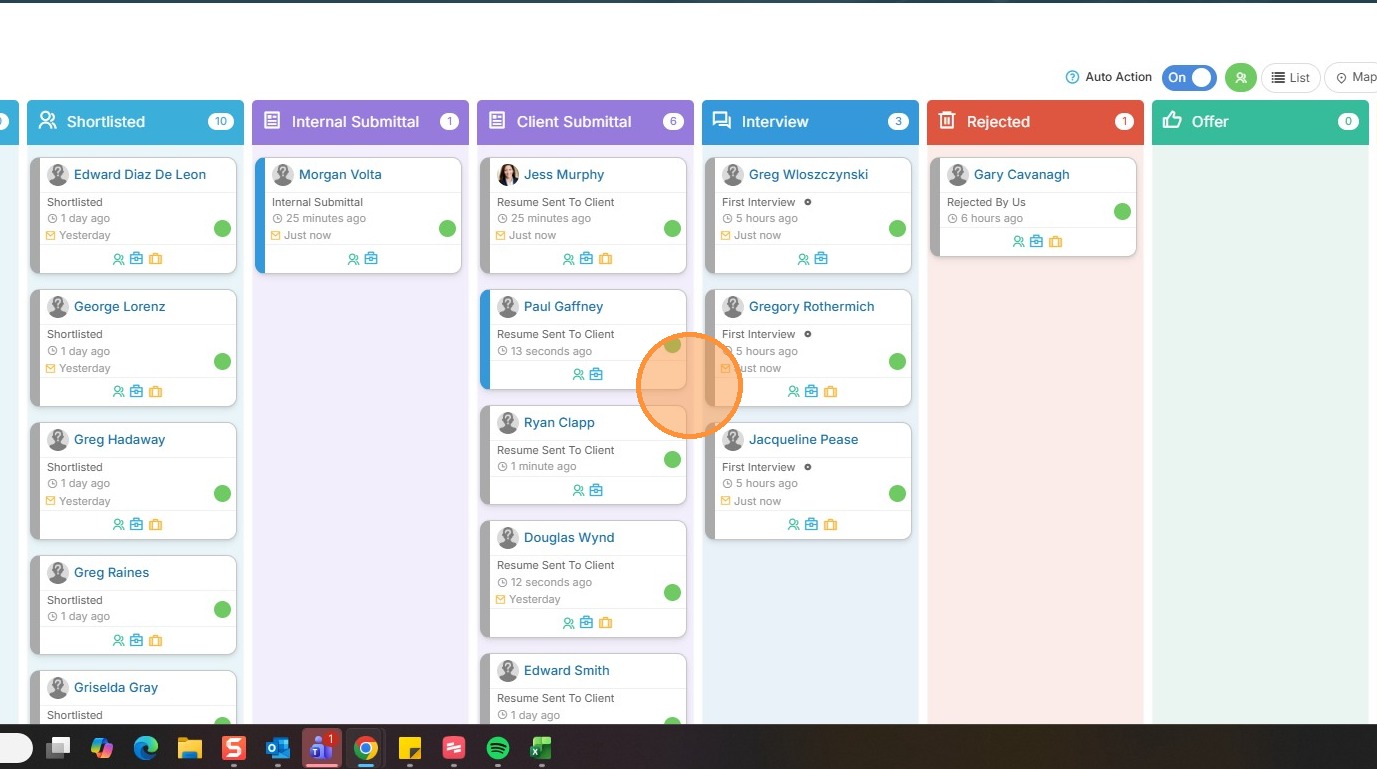
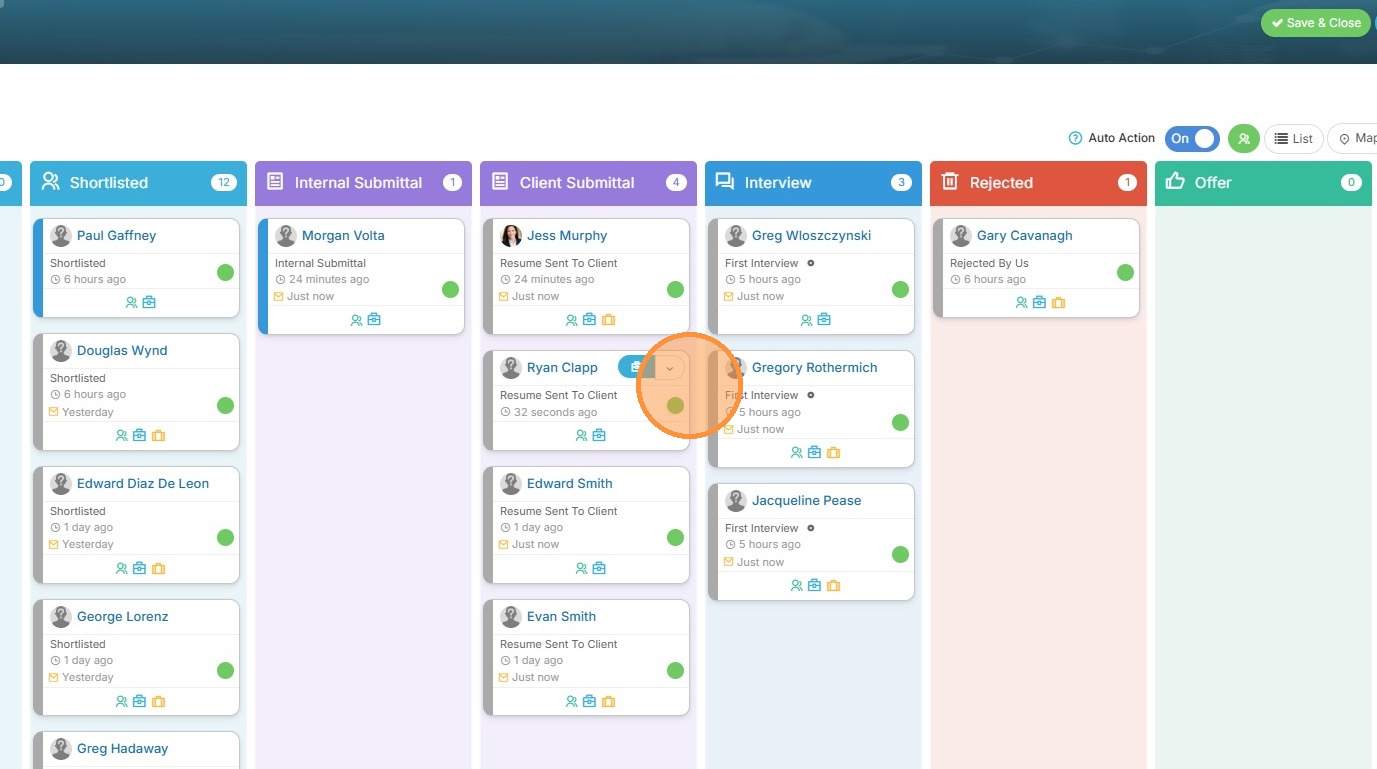
9. You'll see Ryan has now moved into the Client Submittal card.
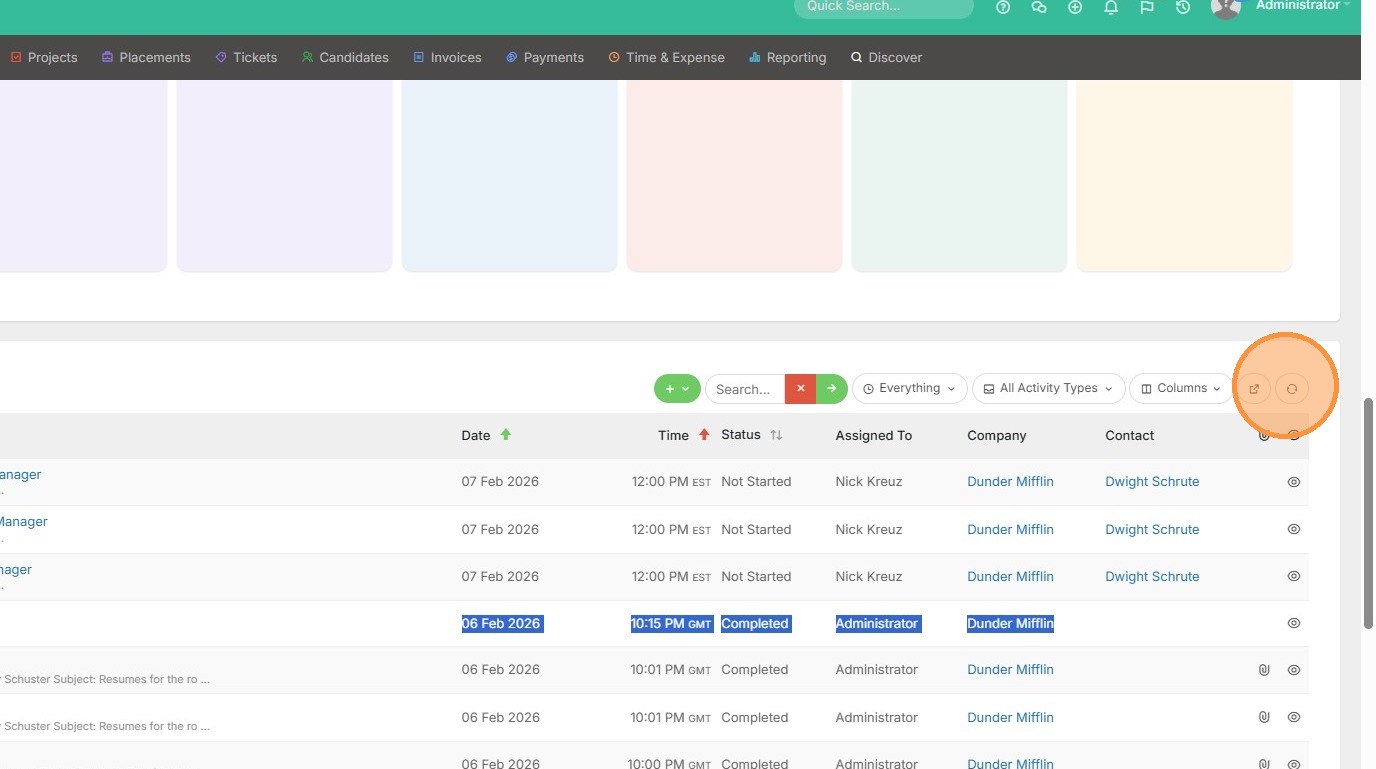
10. If you scroll down or open activities, you can refresh the activities.
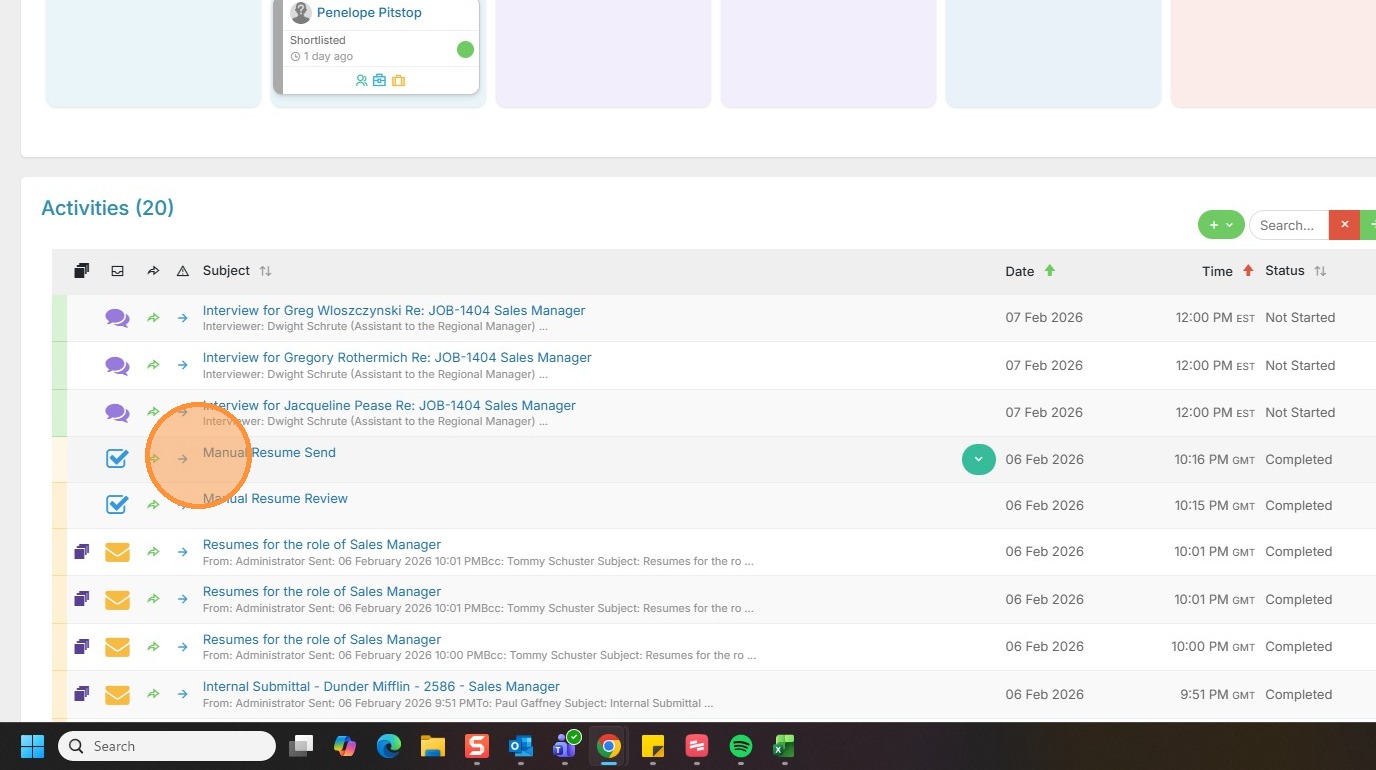
11. And view the Manual Resume Send activity to the client. Now you will receive credit for that, without sending an email.
12. To do this in bulk, select a couple candidates by clicking on their photo icon.
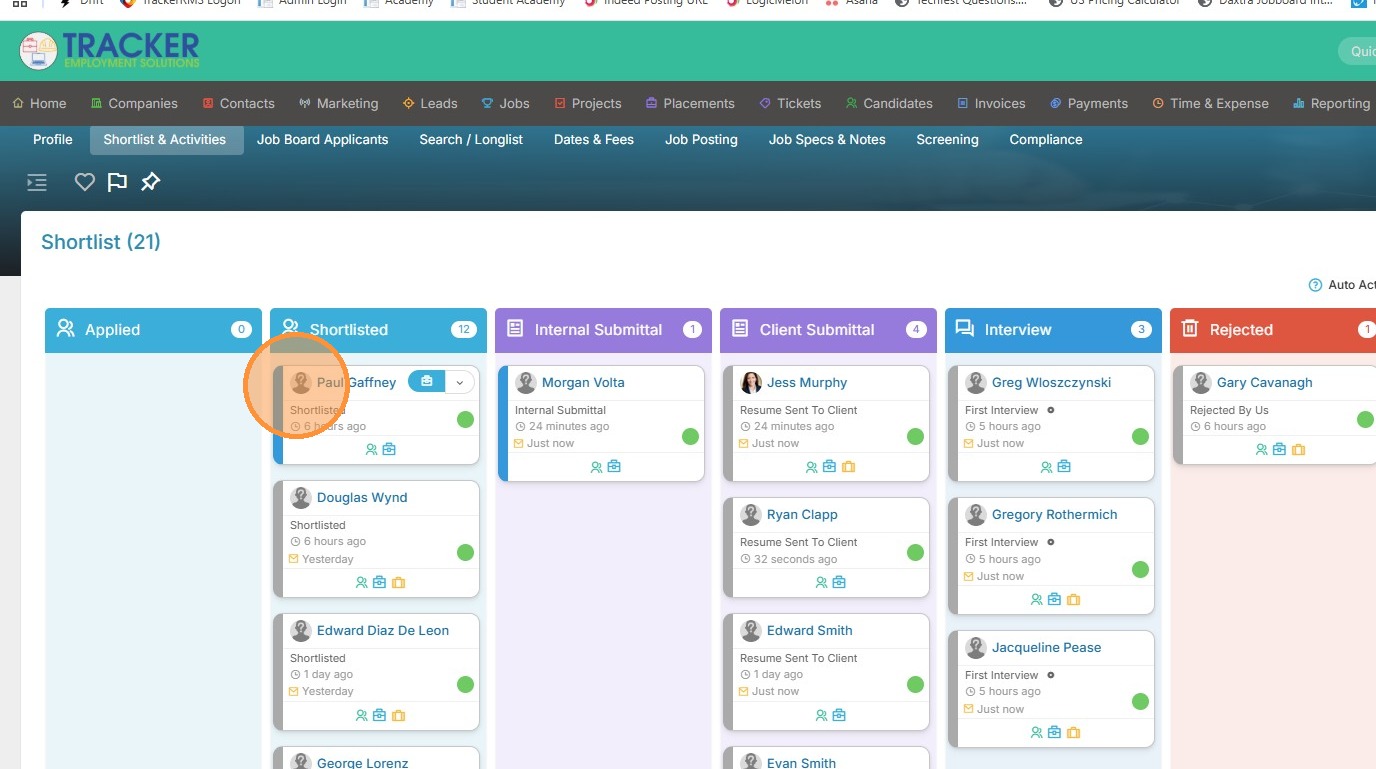
13. I'll select Douglas as well.
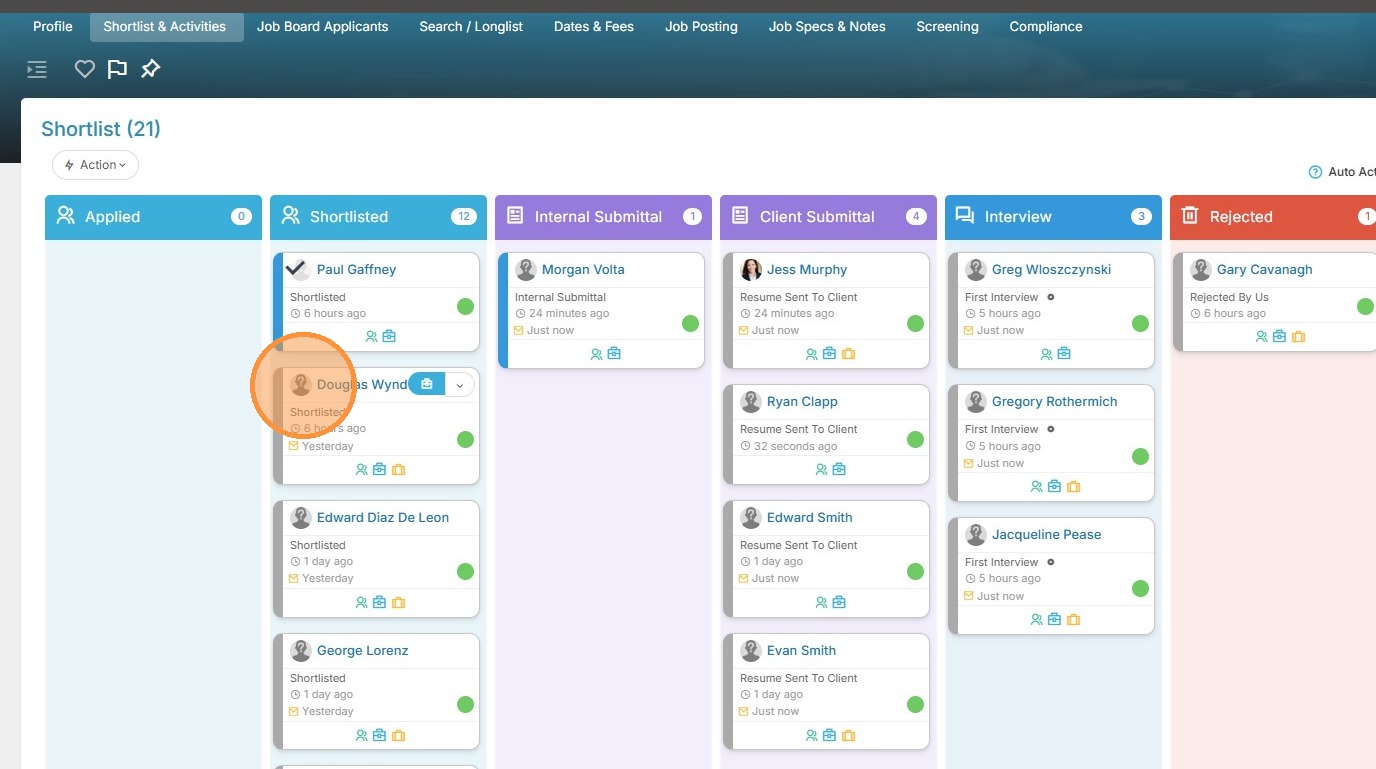
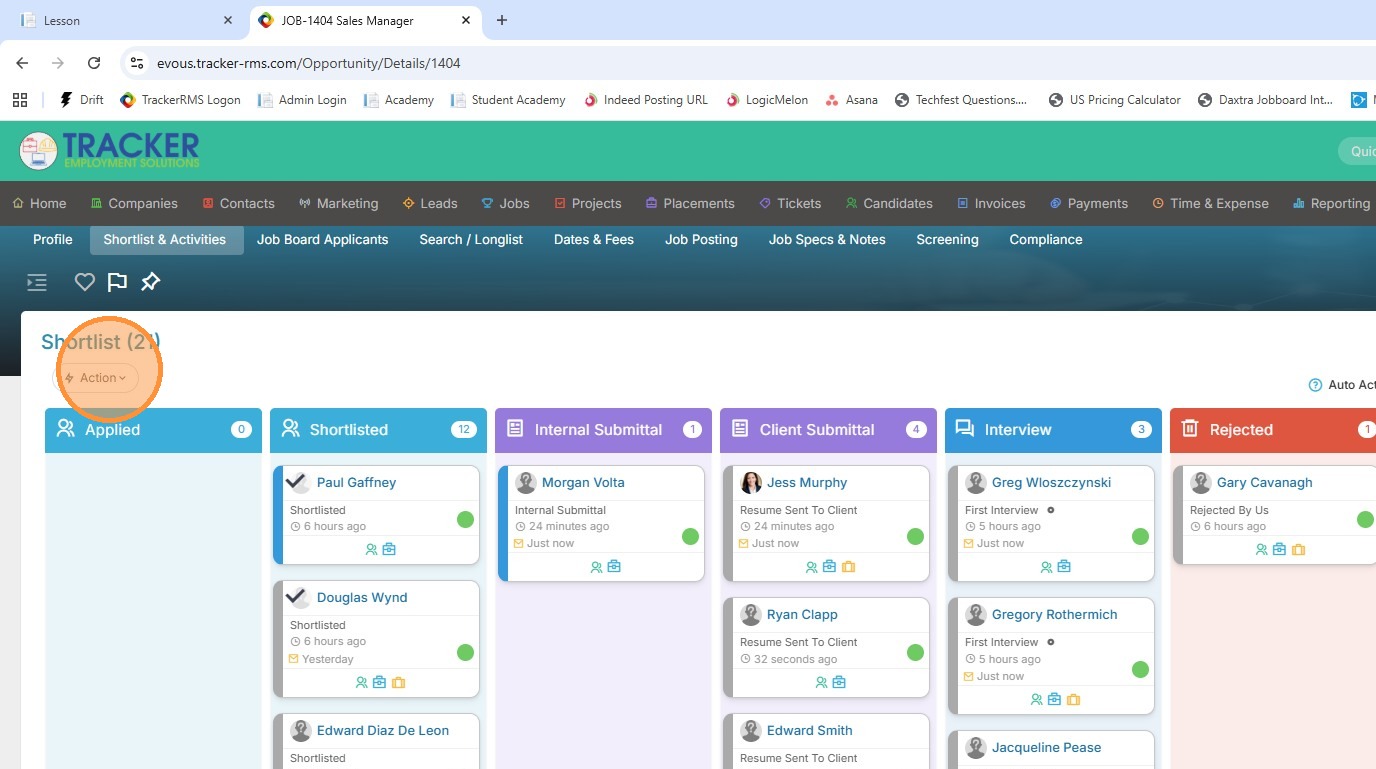
14. Click the action button.
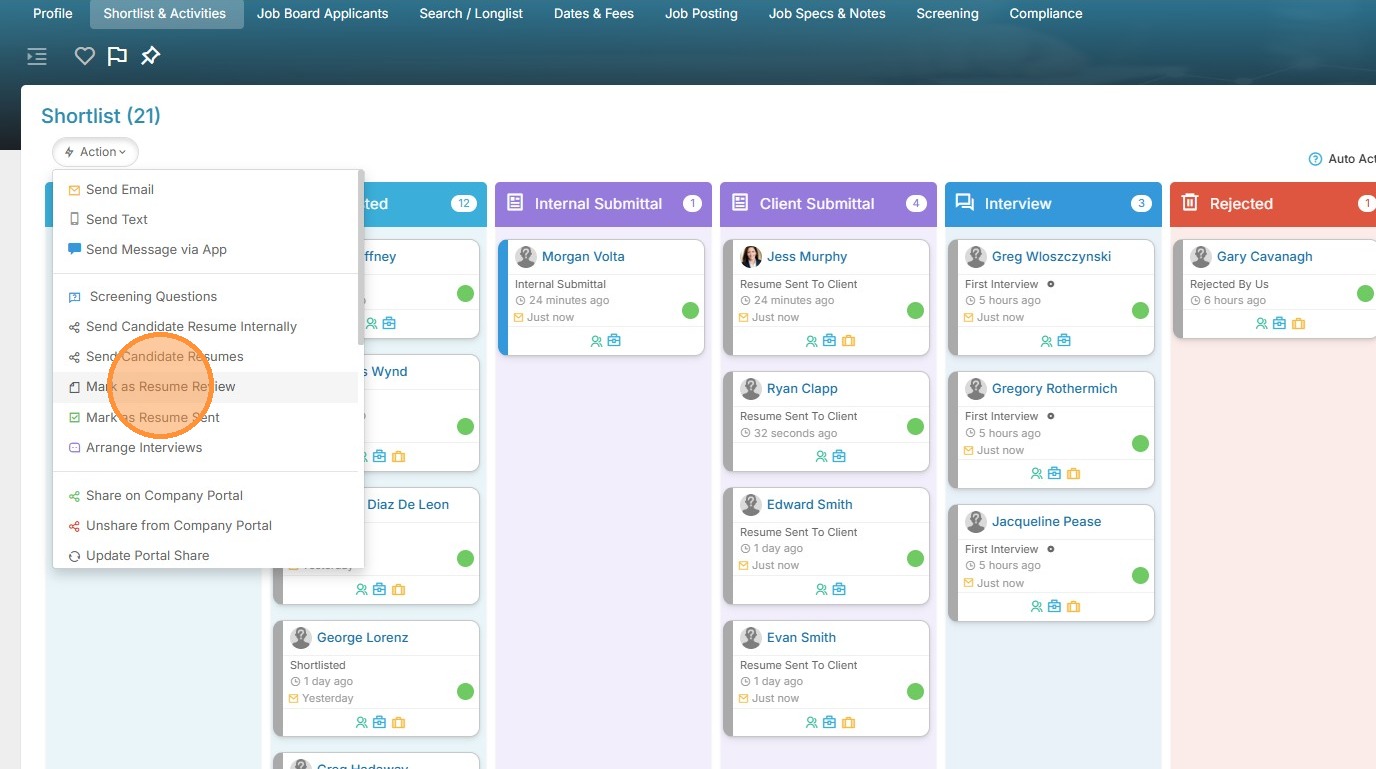
15. Then Mark as Resume Review for a bulk internal submittal.
16. You'll see the candidates moved over to the Internal Submittal card, your activities have been logged, and no email was sent.
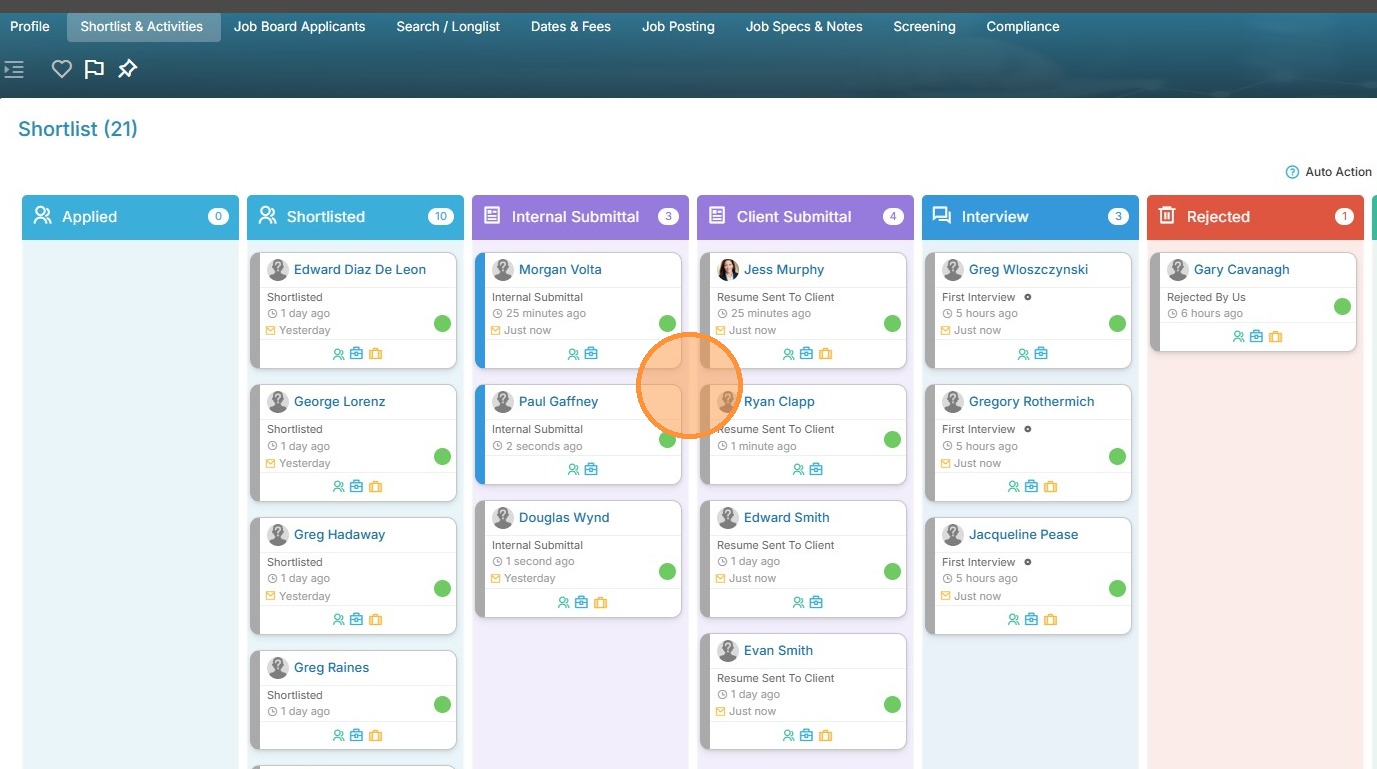
17. To do the same thing for a client submittal in bulk, select a couple more candidates.
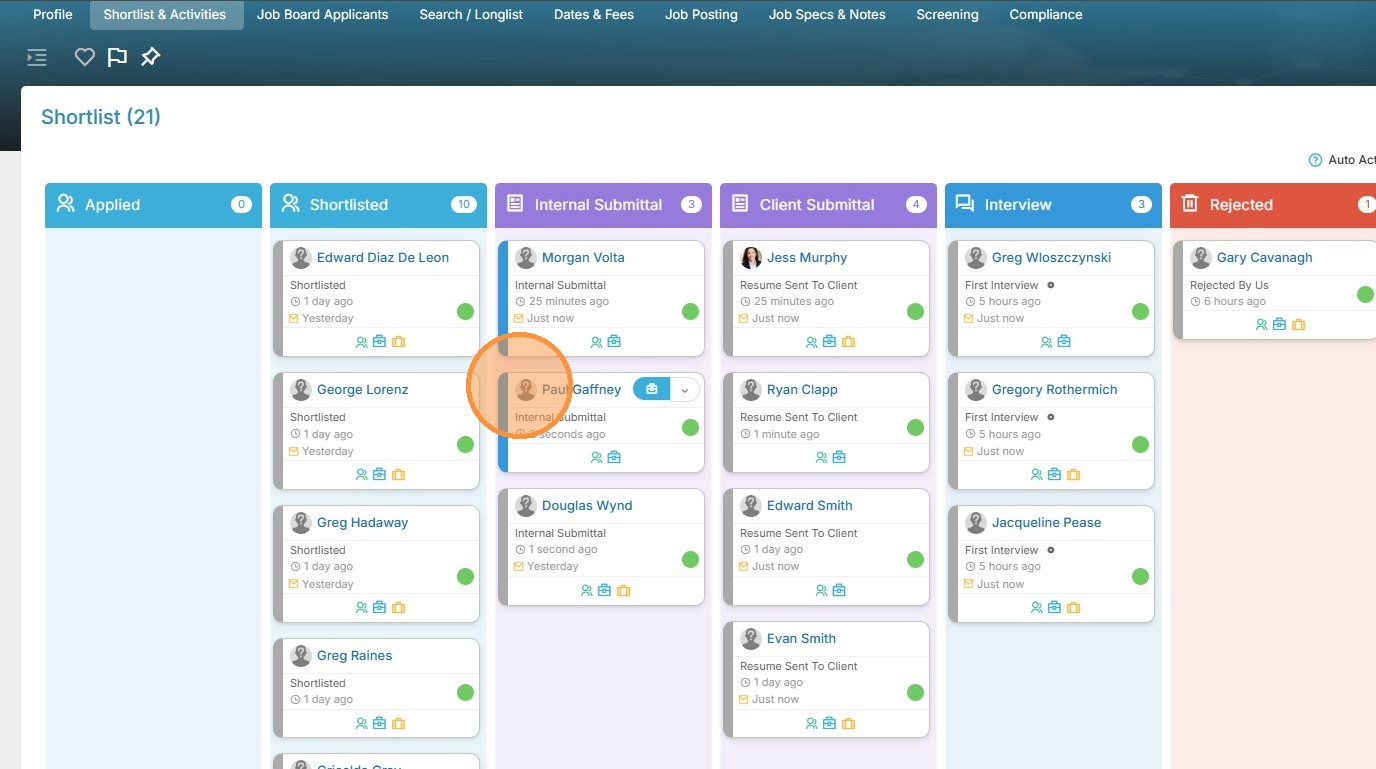
18. I'll select Douglas again, lucky guy!
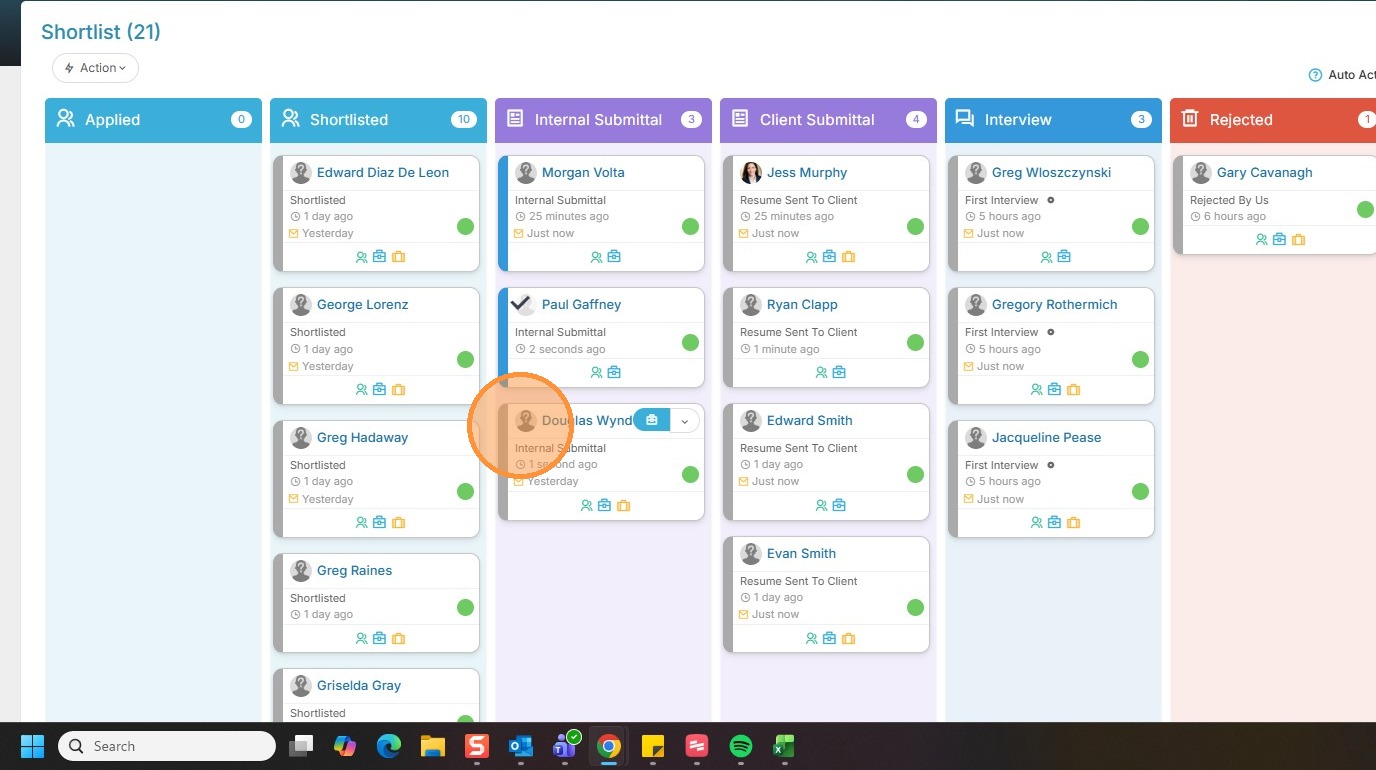
19. Click action.
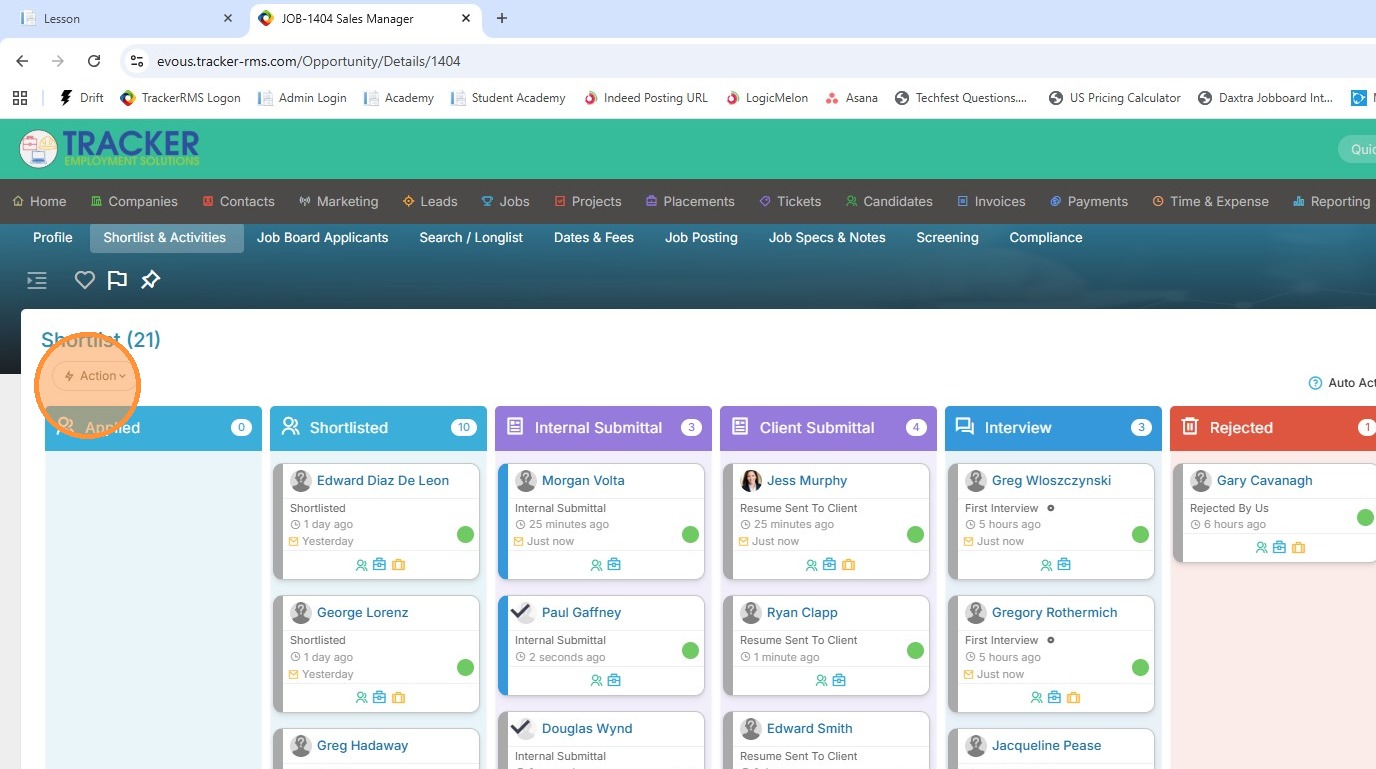
20. Mark as Resume Sent.
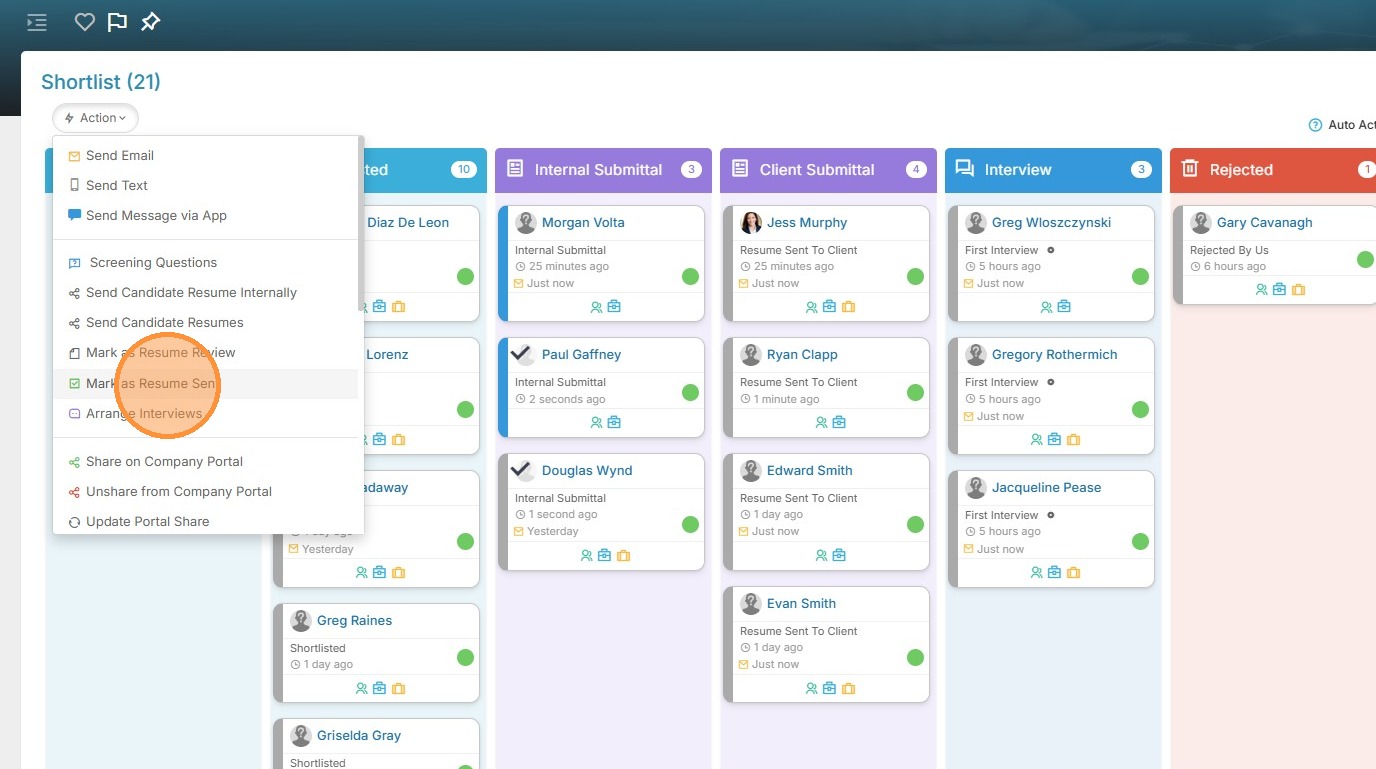
21. You'll see both have moved over to the Client Submittal card, and activities have been logged, all without an email.