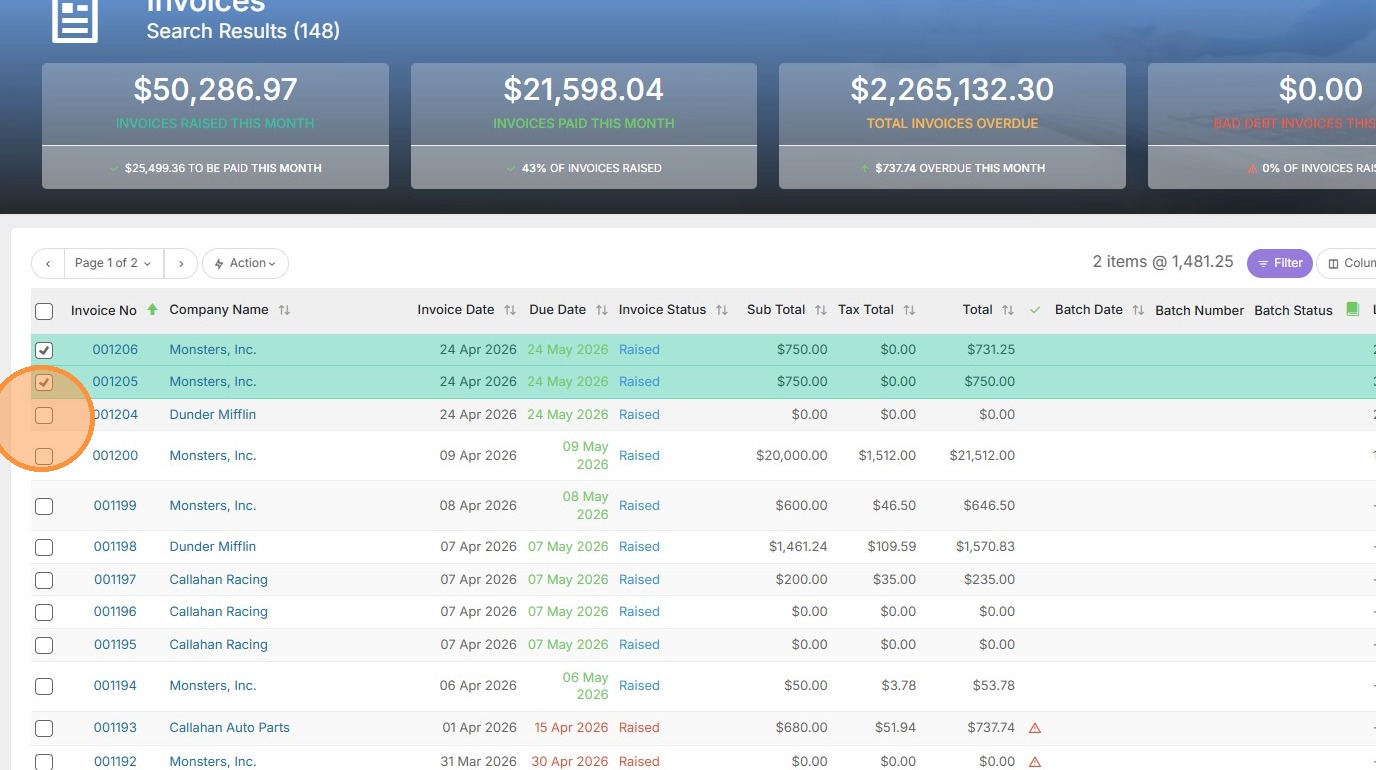
1. Select the checkboxes for the invoices you want to print.

2. Click "Action" and select "Print these Invoices" from the dropdown menu.
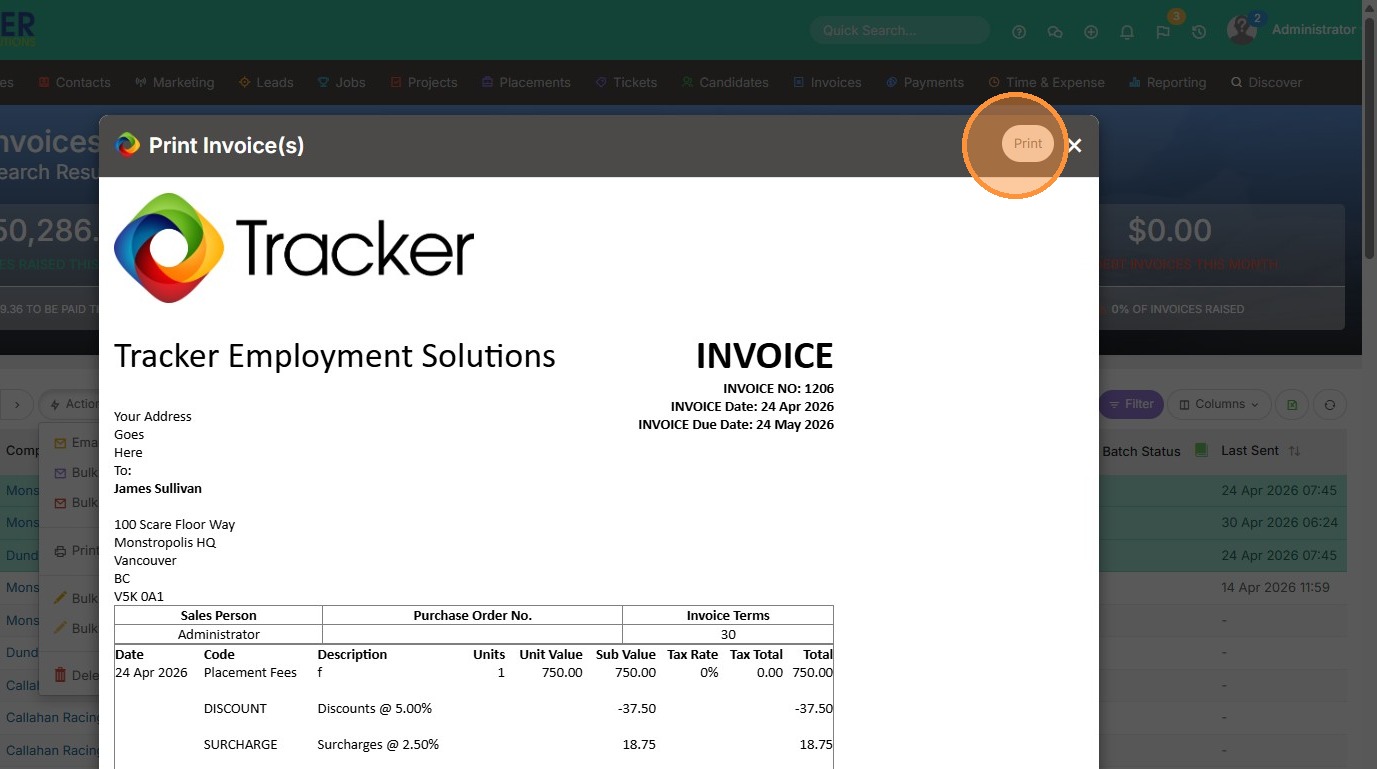
3. Click "Print" in the preview window to generate the documents.
Your one-stop shop for help on TrackerRMS
1. Select the checkboxes for the invoices you want to print.
2. Click "Action" and select "Print these Invoices" from the dropdown menu.
3. Click "Print" in the preview window to generate the documents.