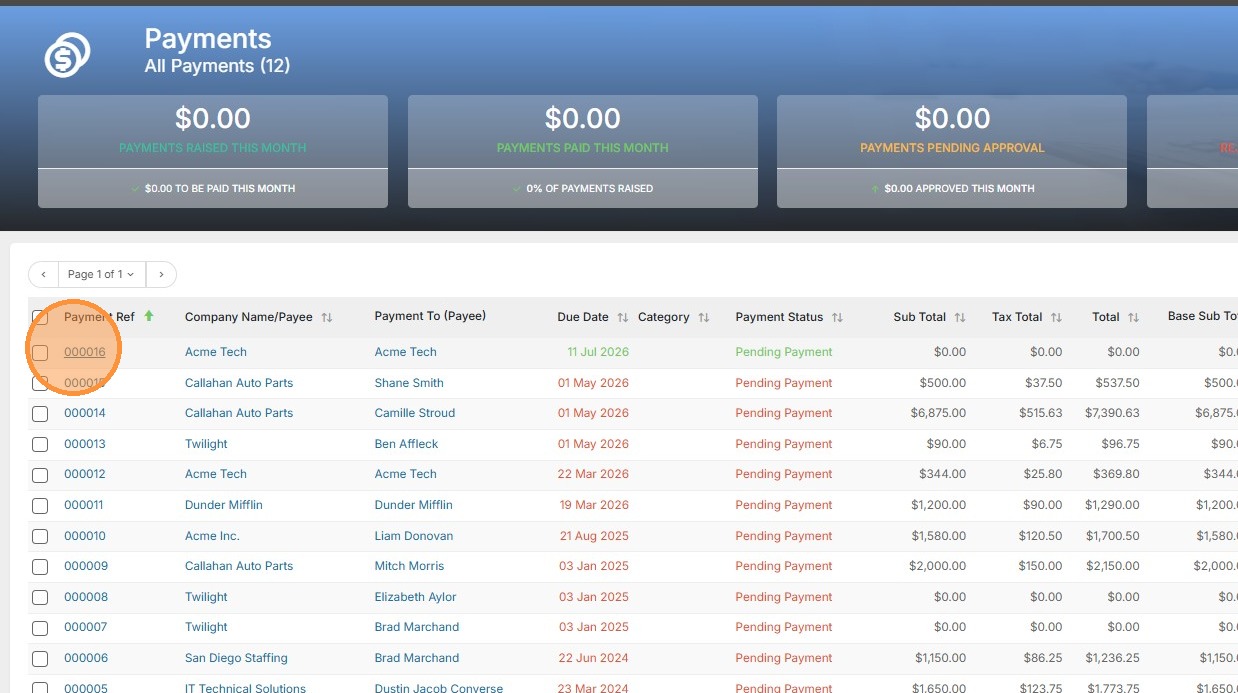
1. Select the payment you wish to mark as paid.
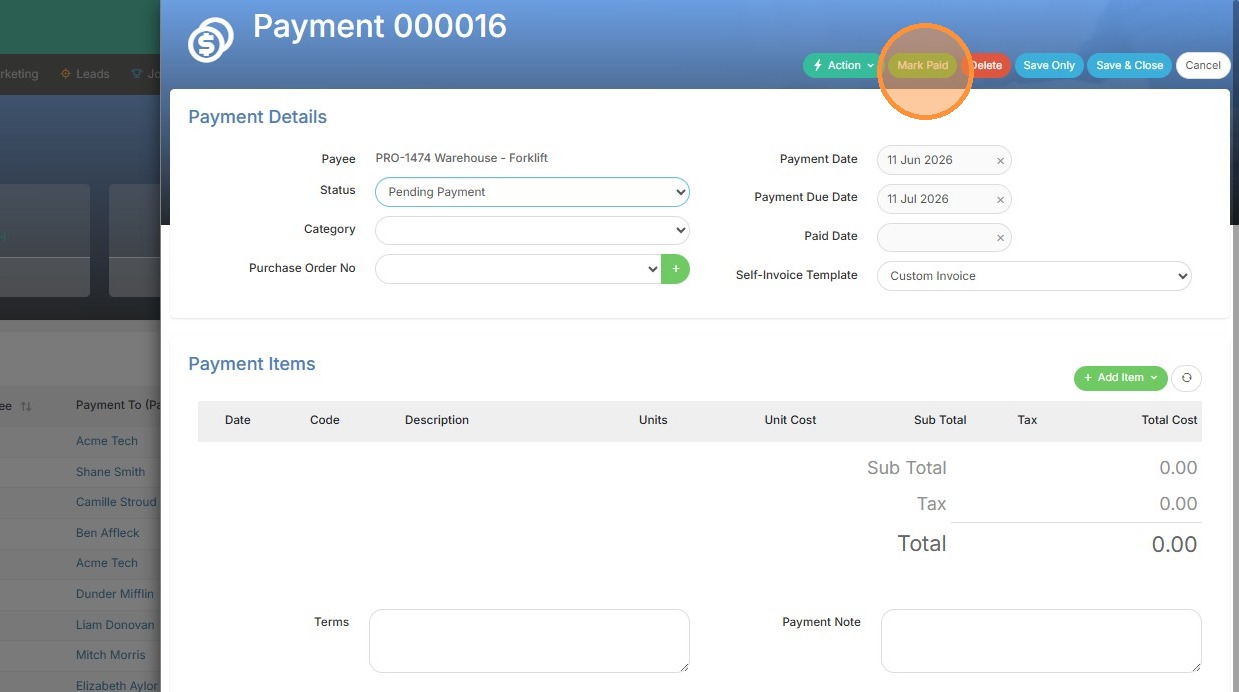
2. Click "Mark Paid"
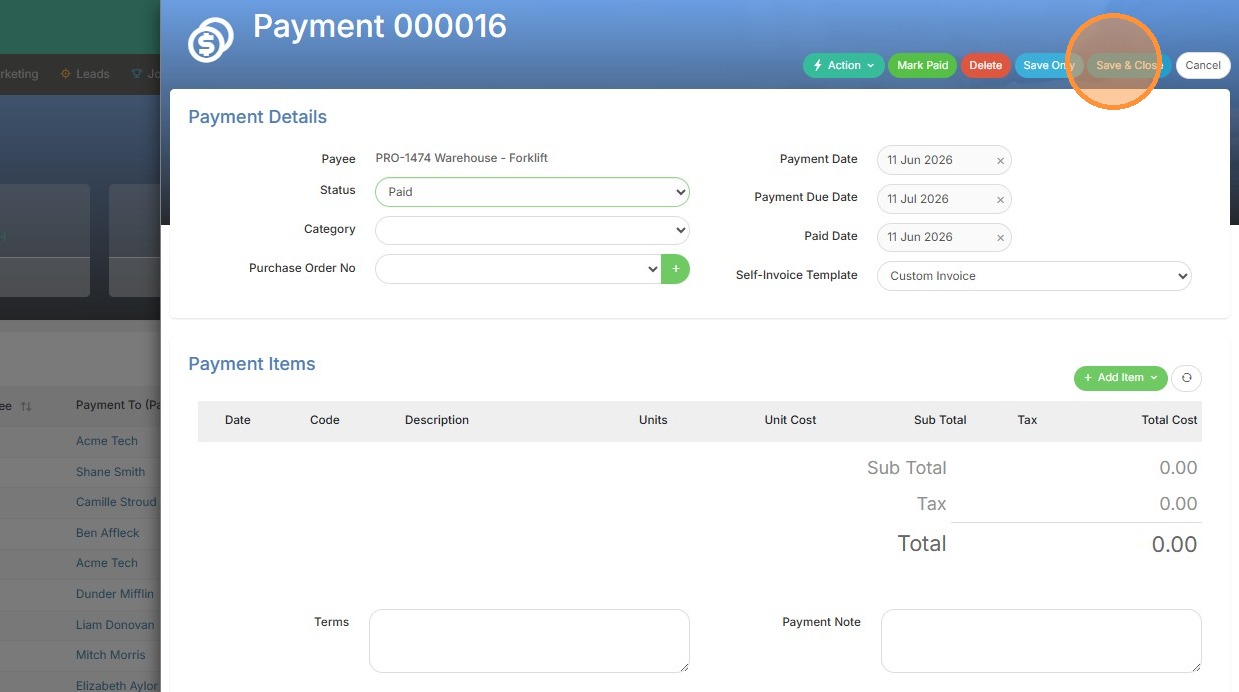
3. Click "Save & Close" or "Save Only" if you need to keep this open.
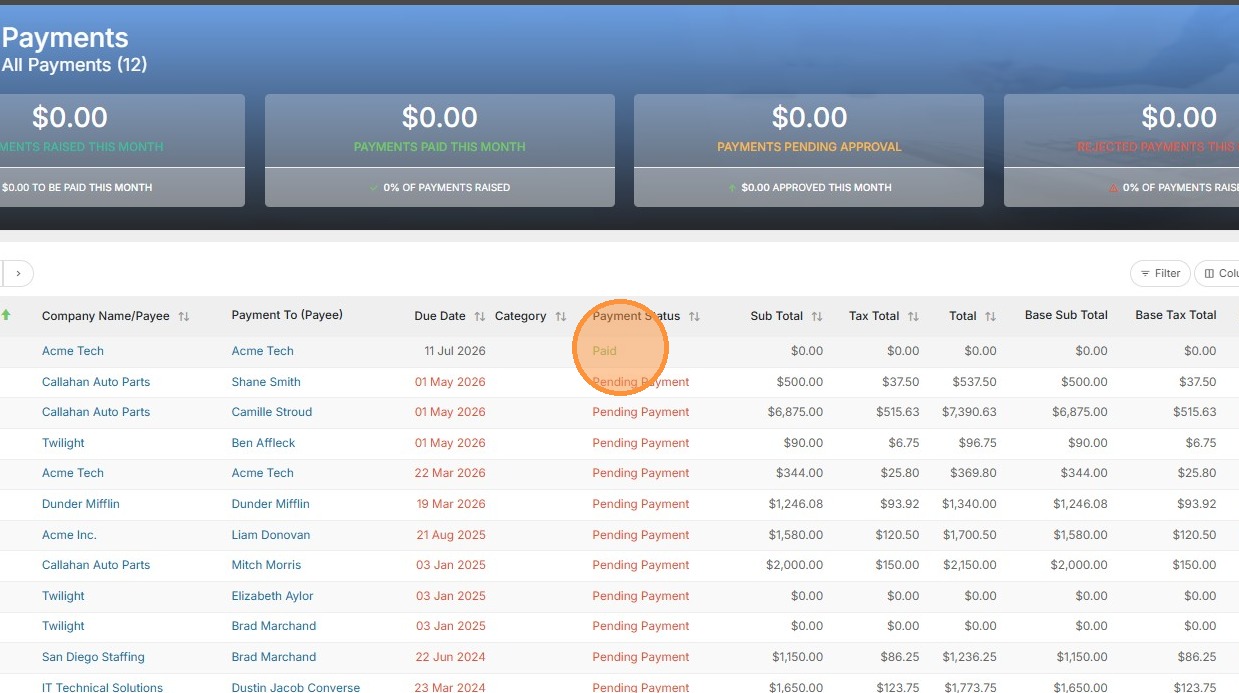
4. The status has now been updated.
Your one-stop shop for help on TrackerRMS
1. Select the payment you wish to mark as paid.
2. Click "Mark Paid"
3. Click "Save & Close" or "Save Only" if you need to keep this open.
4. The status has now been updated.