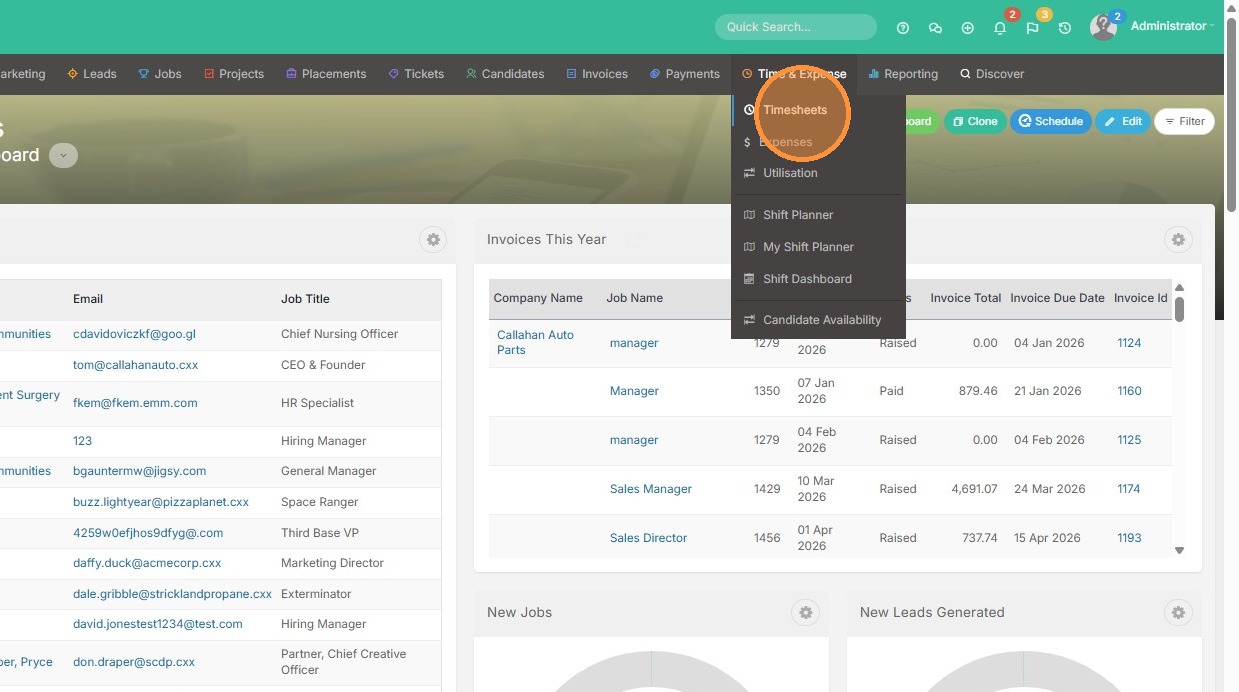
1. To raise payments in bulk, click into the time & expense tab.
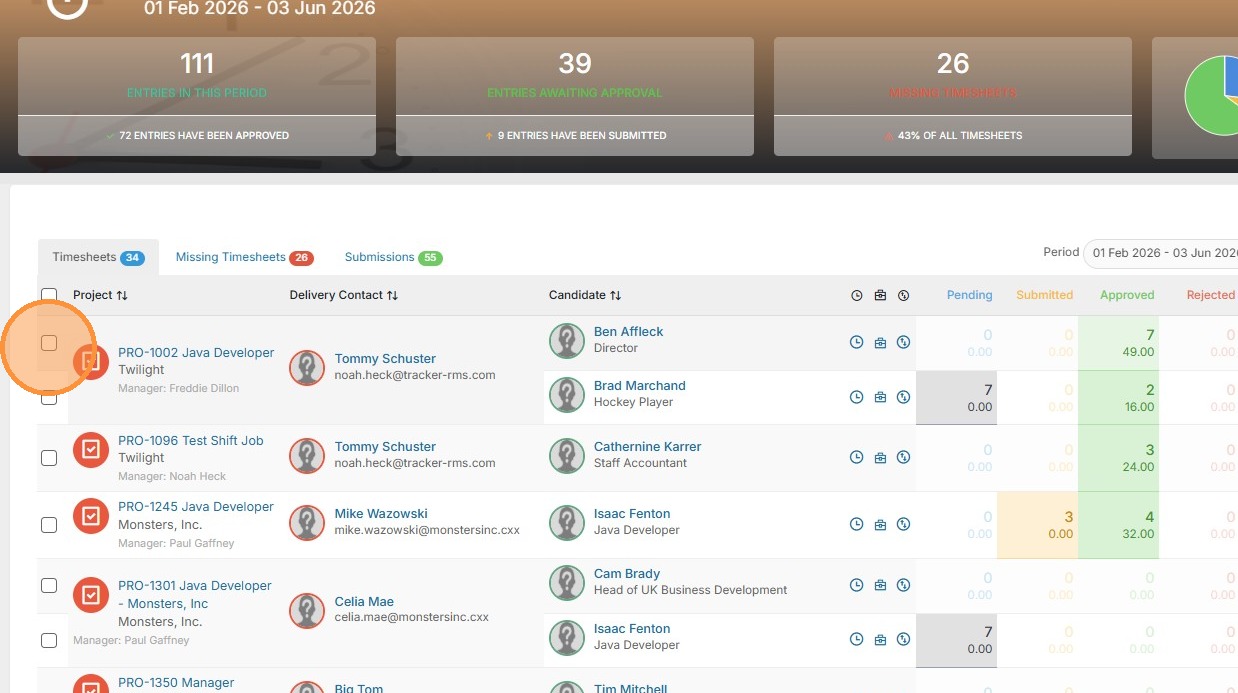
2. Select the timesheets you would like to raise payments for.
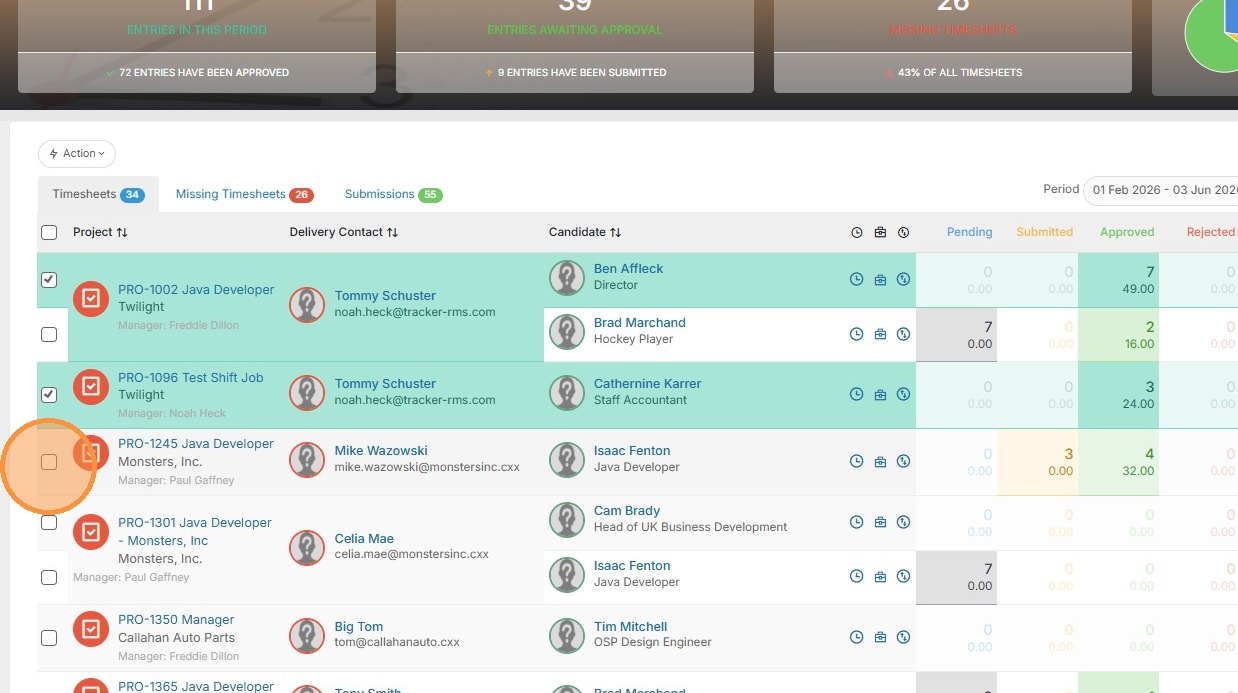
3. Feel free to select as many as necessary.
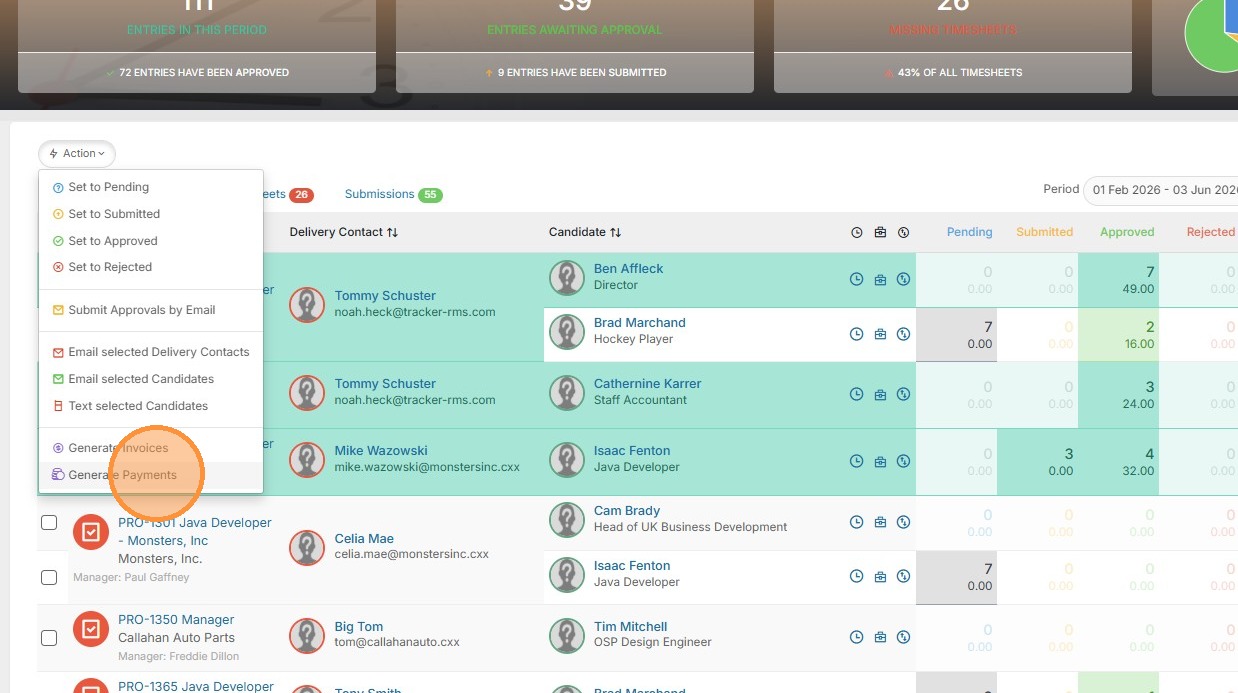
4. Click Action.
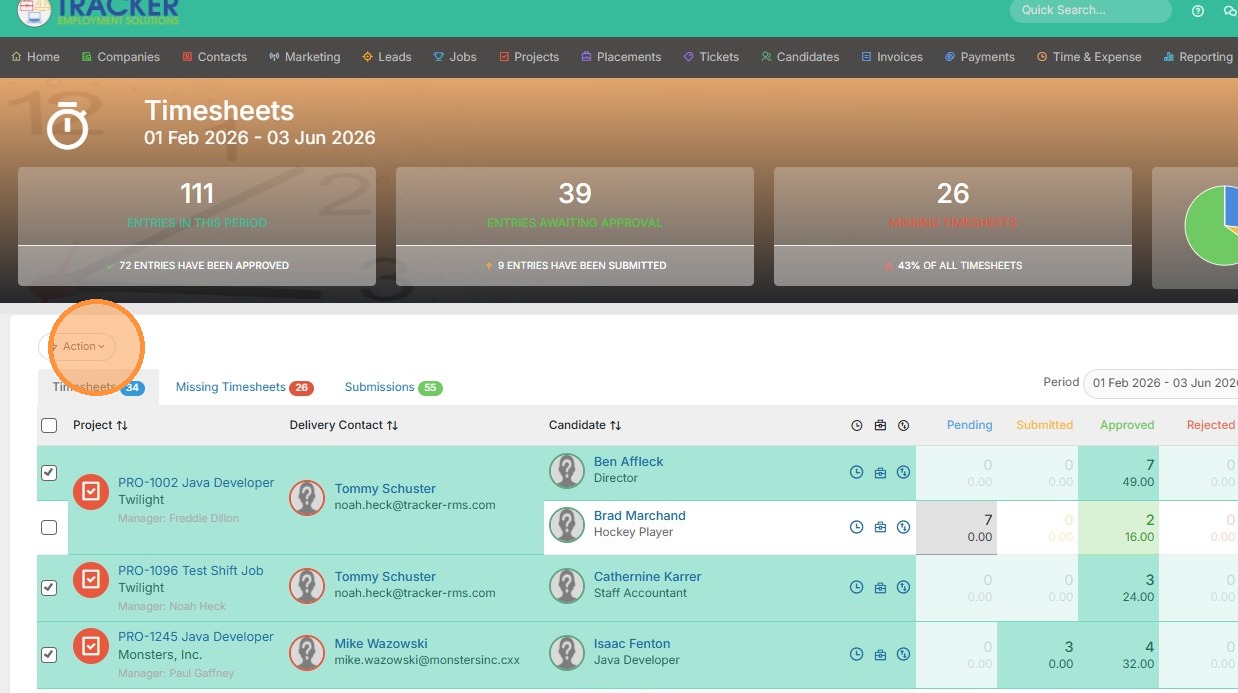
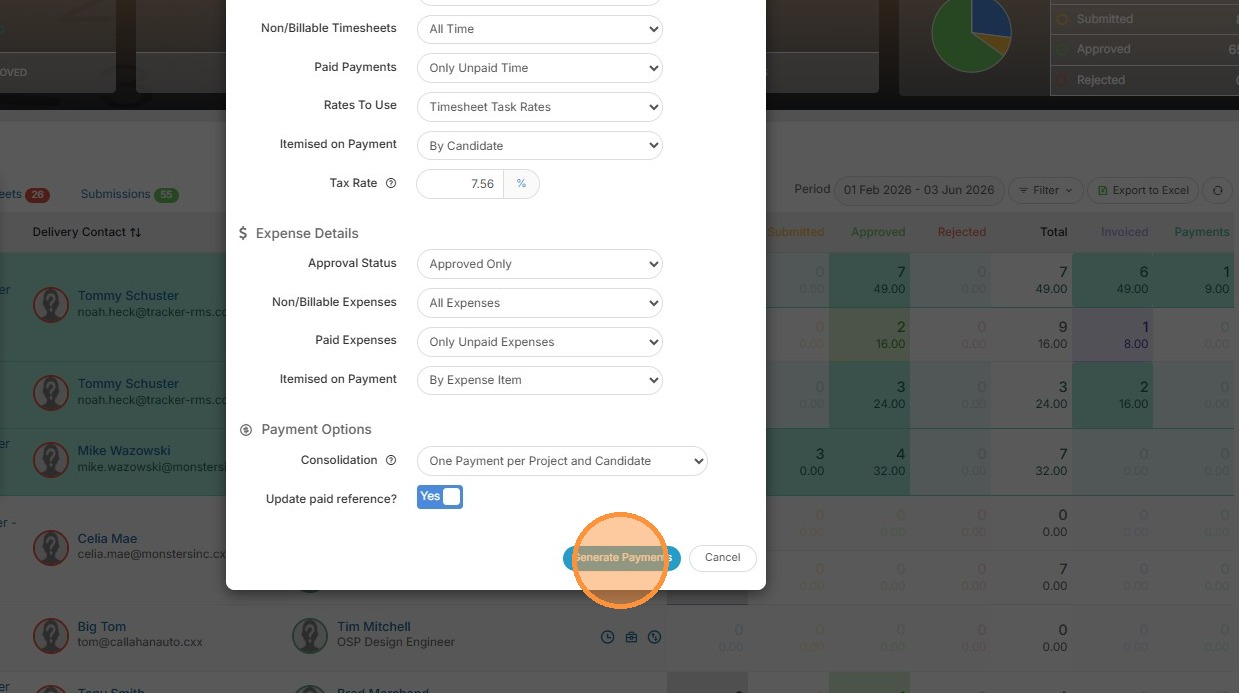
5. Open Action menu and select Generate Payments
Your one-stop shop for help on TrackerRMS
1. To raise payments in bulk, click into the time & expense tab.
2. Select the timesheets you would like to raise payments for.
3. Feel free to select as many as necessary.
4. Click Action.
5. Open Action menu and select Generate Payments